How to Choose a Plan for Your Business on DIKIDI
Last modified:
In DIKIDI, you can start using the platform for free and activate additional tools as your business grows. There is one free Basic plan and three paid plans available: LITE, PRO, and VIP. Each paid plan includes all the features of the previous one.
Below is a detailed overview of the features included in each plan and what they are designed for ⬇️
🔹Free BASIC plan
The Basic plan is activated automatically upon registration and is provided free of charge with no time limits and no restrictions on the number of employees. It allows you to fully organize the booking process and manage client interactions.
The Basic plan features include:
- Appointments journal;
- Customer database;
- Push notifications to customers. You can additionally enable other notification channels — Telegram, WhatsApp and SMS;
- Consent to personal data processing and marketing communications;
- Online booking (via a direct link, social media widgets, maps, the DIKIDI Online marketplace, and your branded app).
- Online booking prepayment;
- Online tips;
- Publication in the DIKIDI Online marketplace;
- Chat with clients and employees within the DIKIDI Business service;
- Tracking of resource occupancy;
- Integrations with IP telephony, online cash registers, and online acquiring;
- Unlimited number of employees and different access rights settings;
- Free app for employees – DIKIDI Business;
- Free app for customers – DIKIDI Online.
Аll of these features remain available when you upgrade to any paid plan.
3 paid plans
1️⃣ LITE plan
The LITE plan includes all the features of the Basic plan and additionally unlocks tools for business management and performance tracking.
It is suitable for those who want to monitor revenue, expenses, employee payroll, and manage repeat client visits.
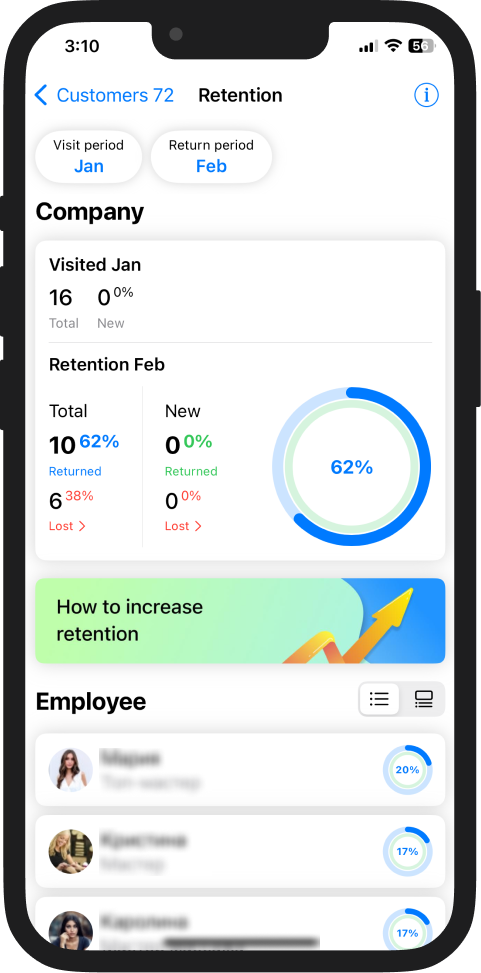
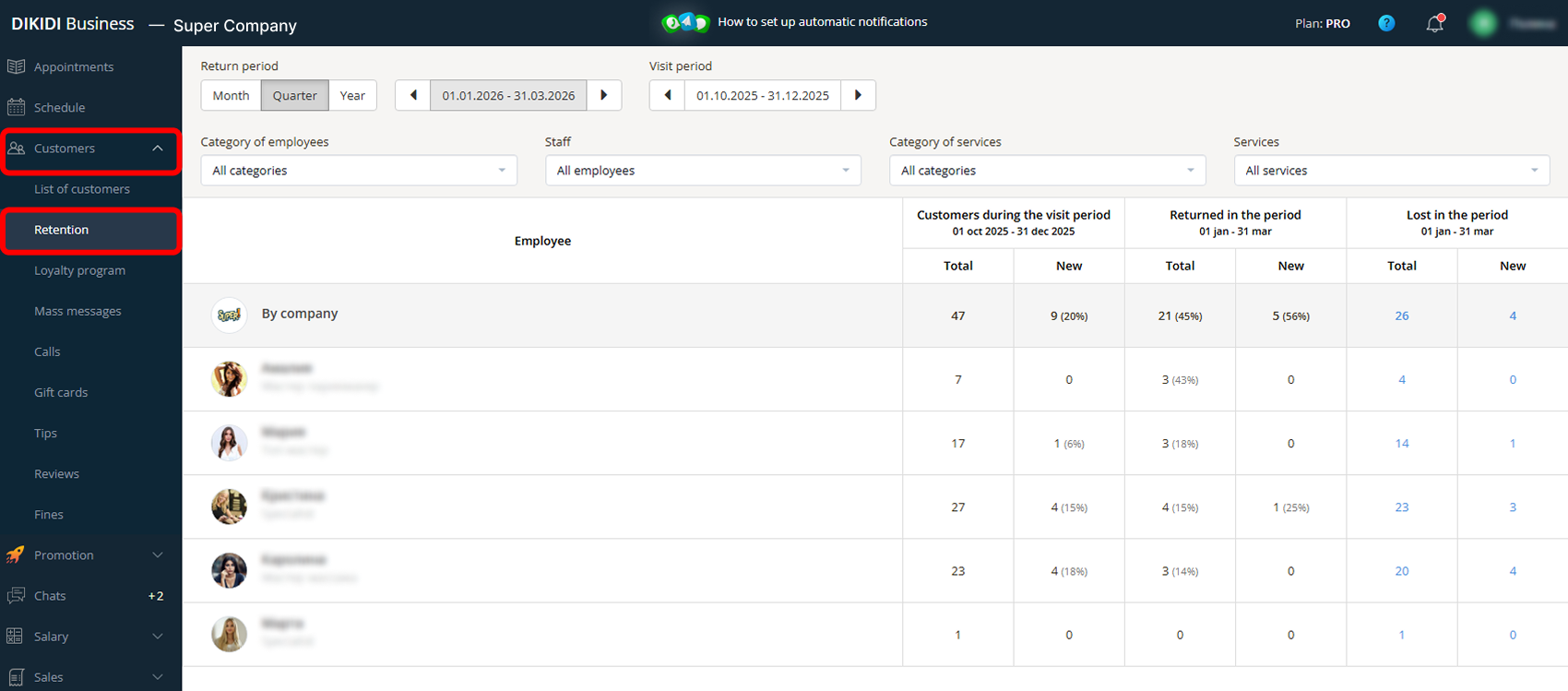
1) Retention
“Retention” shows how many clients booked your services again compared to a previous period.
You can:
- Analyze repeat visits by employee, service, and time period;
- Compare retention rates with previous periods;
- Generate a list of lost clients and bring them back.
This helps you see the actual dynamics of your client base and plan effective actions to improve retention and increase repeat visits.
2) Sales
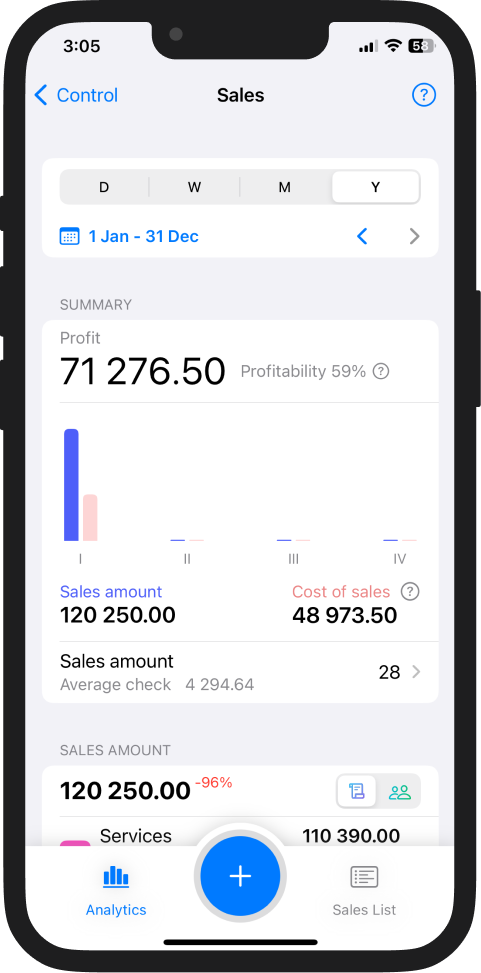
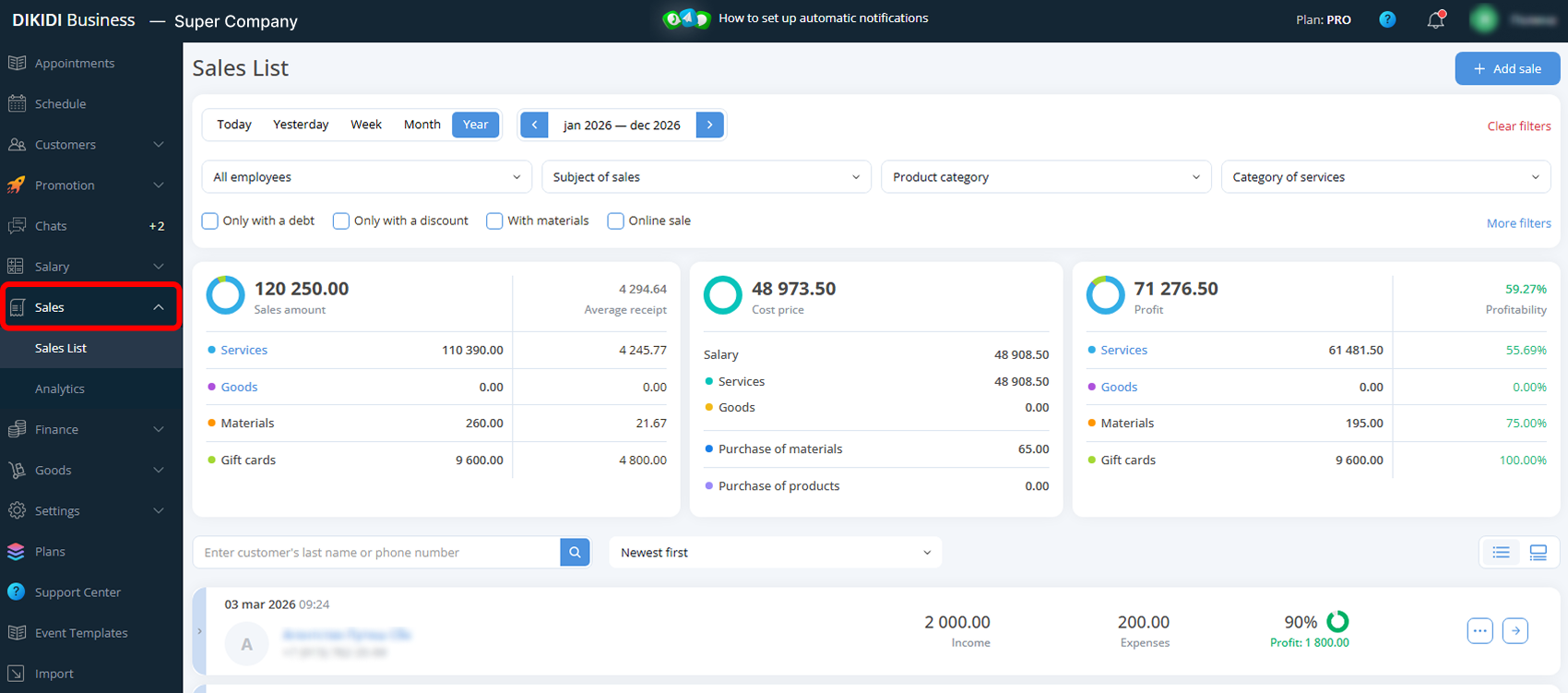
The “Sales” section reflects the actual revenue generated from services and goods.
The reports display:
- Number and total amount of sales;
- Average check;
- Percentage of each service in total revenue;
- Performance metrics by employee;
- Comparison with previous periods.
You can see the revenue structure and evaluate your team’s performance.
3) Finance
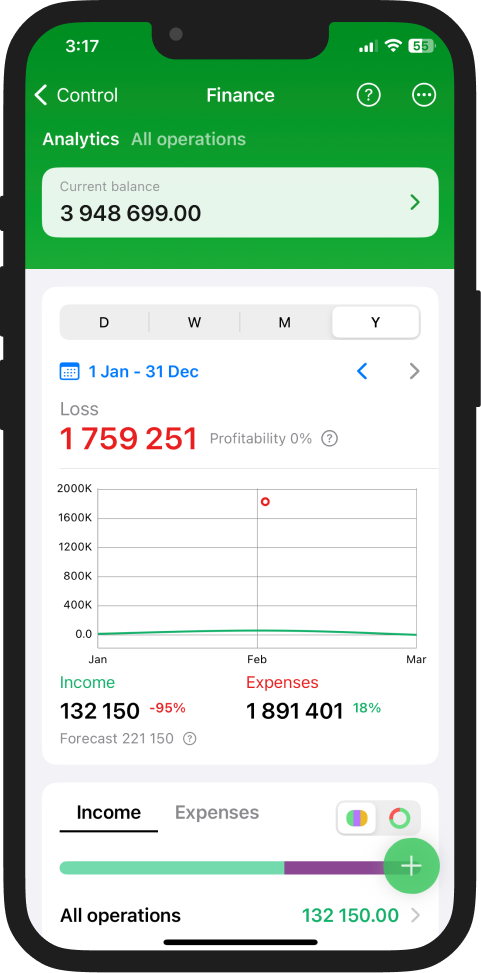
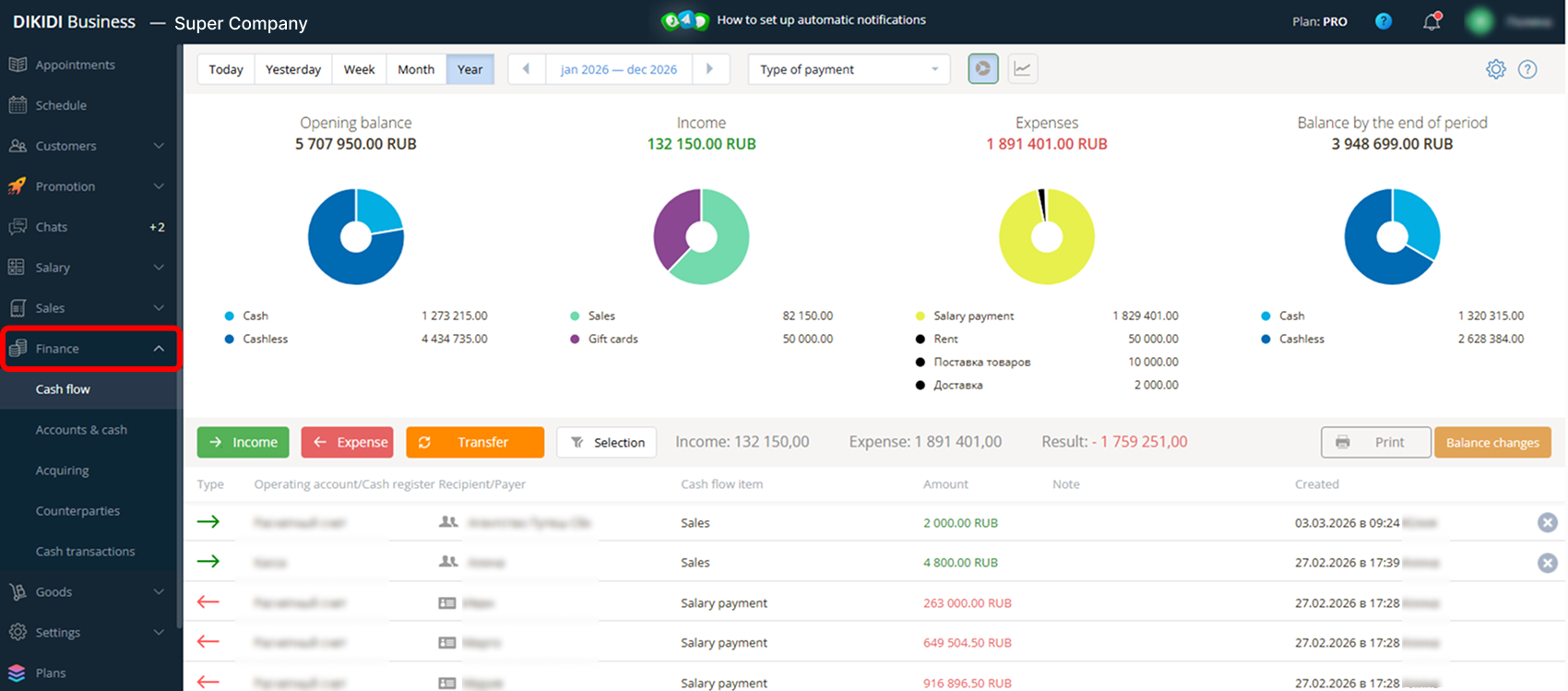
The “Finance” section helps you control your cash flow.
You can:
- Track income and expenses;
- Connect accounts and cash registers;
- Set up online acquiring;
- Manage transactions with suppliers;
- Create your own income and expense categories;
- Export reports.
Cash register transactions are transferred automatically. If needed, you can edit, add, or delete them manually.
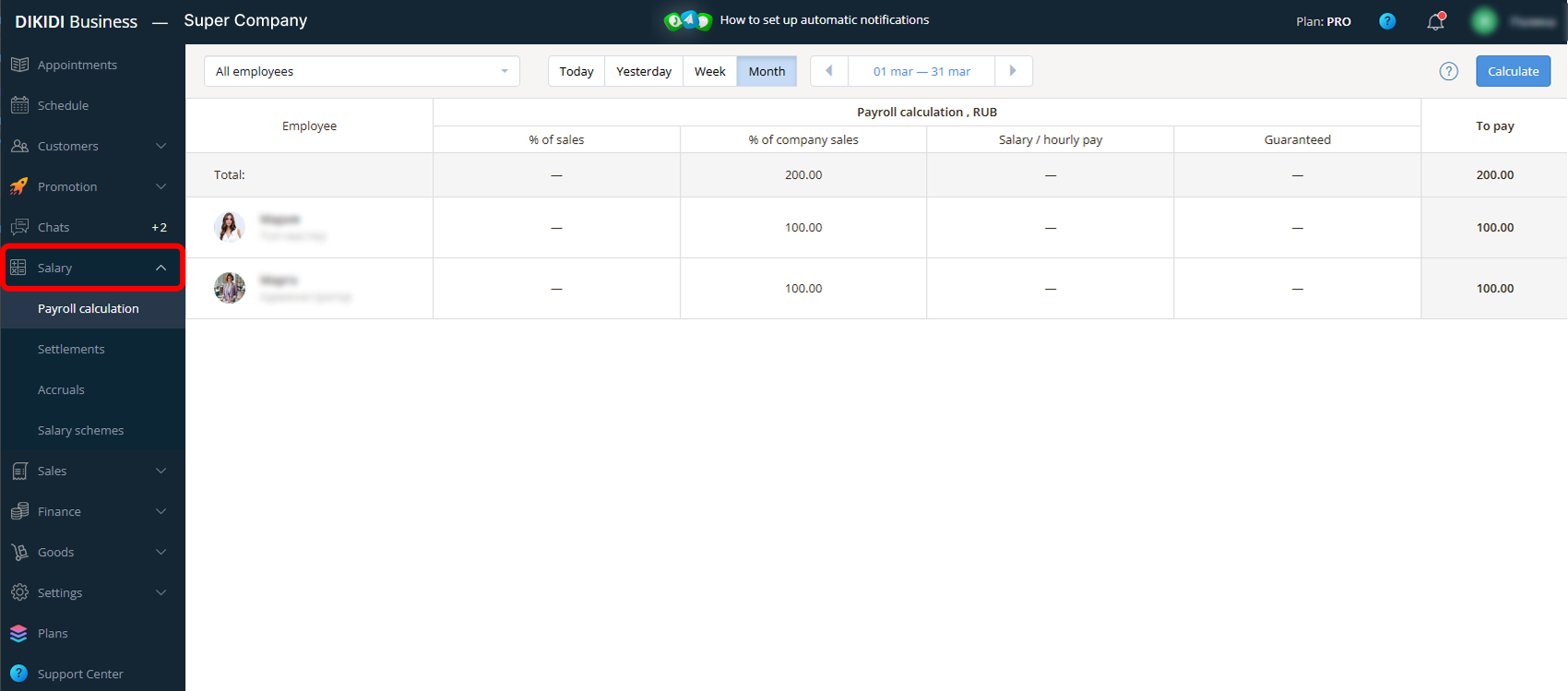
4) Salary
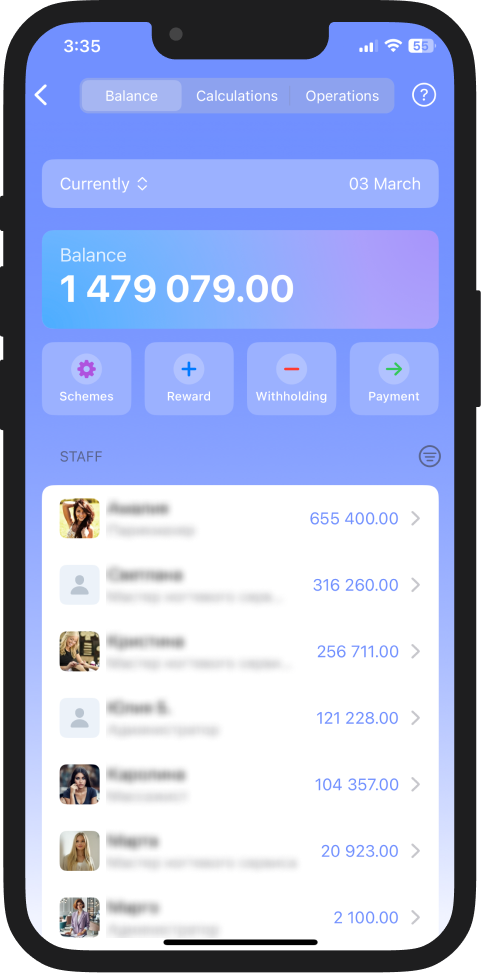
The "Salary" feature allows automating the calculation of employee payments.
You can set up an individual payment scheme for each employee, using a combination of several criteria:
- Percentage of personal sales;
- Percentage of company sales;
- Percentage of created appointments;
- Fixed wage;
- Guaranteed payment.
The system automatically calculates the payment amount. Additionally, client discounts, material costs, bonuses, or fines can be taken into account. All calculations are reflected in the expenses.
5) Available time intervals
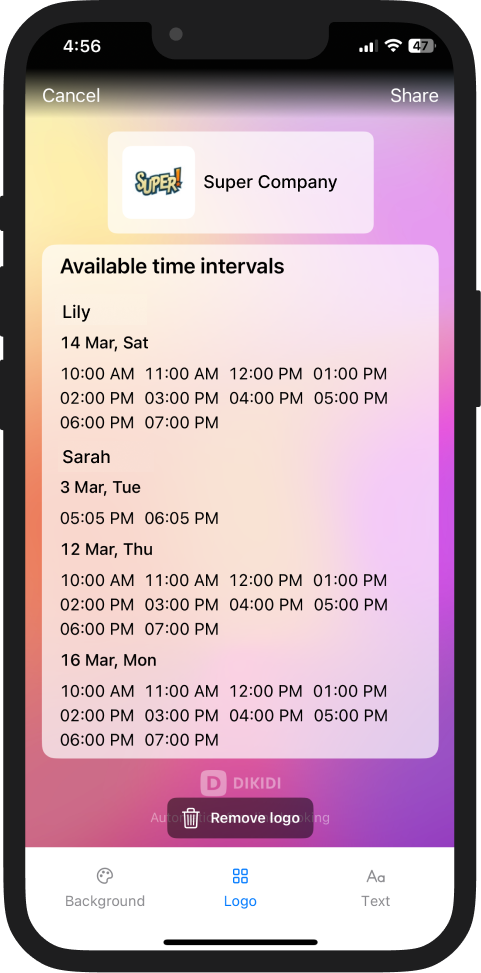
The "Available time intervals" feature allows you to quickly notify clients about available appointment time slots.
The system generates a ready-to-use image with dates and a logo, which can be:
- Published on social media
- Sent directly to clients
- Saved to the gallery
This simplifies schedule management and provides additional content for promotion.
6) Integration with Calendars
The calendar integration allows you to synchronize the DIKIDI "Appointment Journal" with Google Calendar. All created appointments are automatically displayed in the calendar.
🔹 Private specialists can connect and set up two-way event synchronization;
🔹 For companies, the integration is currently available in the export mode from “Appointments” section.
💡 Soon, synchronization with Apple Calendar will also be available.
Advantages:
- Backup storage of appointments – all client appointments are duplicated in the calendar;
- Availability tracking – both work and personal events are displayed in one calendar;
- Appointment reminders – you can enable reminders from Google Calendar.
The integration helps systematically manage schedules and reduces the risk of organizational errors in operations.
7) Manual Sending
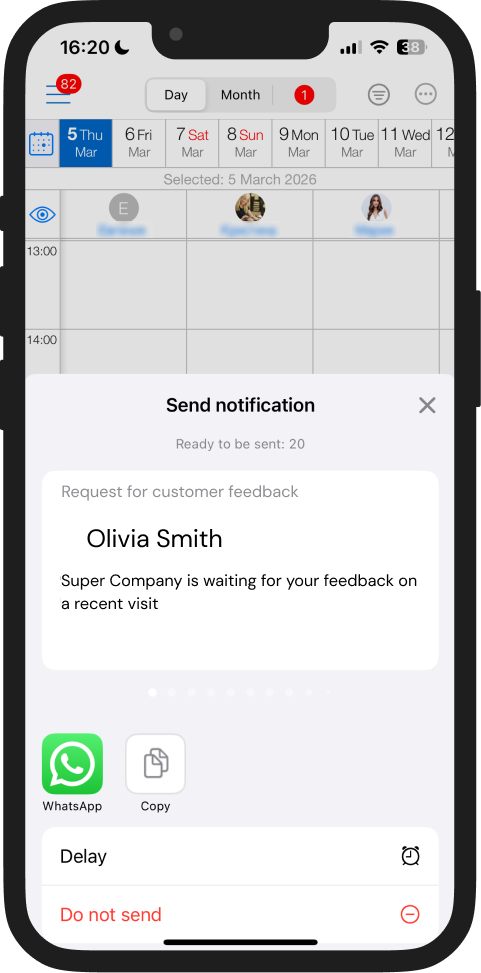
DIKIDI allows you to manually send notifications to clients. The texts are automatically generated — you just need to choose where to send the message. There are no restrictions on the number of messages you can send and you can track the delivery status of all notifications.
This is convenient if you want to send a small number of messages: you can set up the distribution through popular messengers and social media without spending too much time.
2️⃣ PRO plan
The PRO plan includes the features of the Basic and LITE plans and additionally opens tools for developing loyalty and increasing revenue.
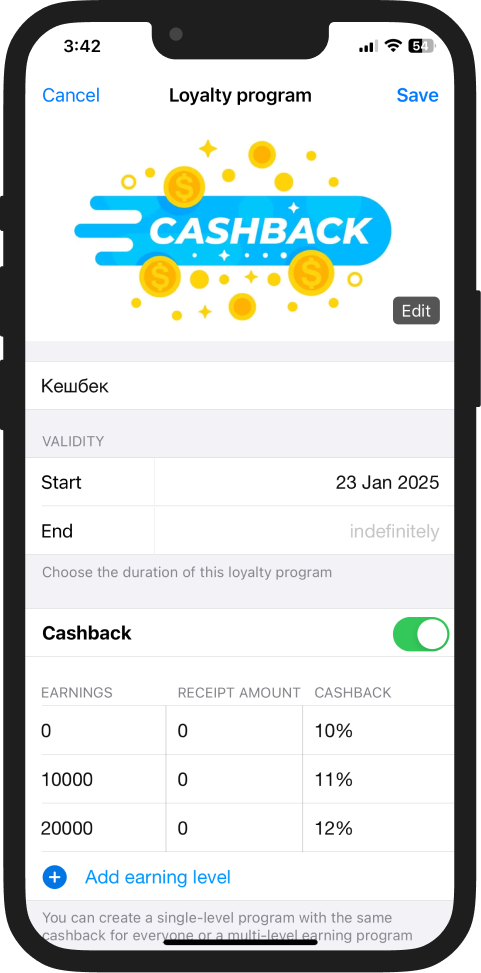
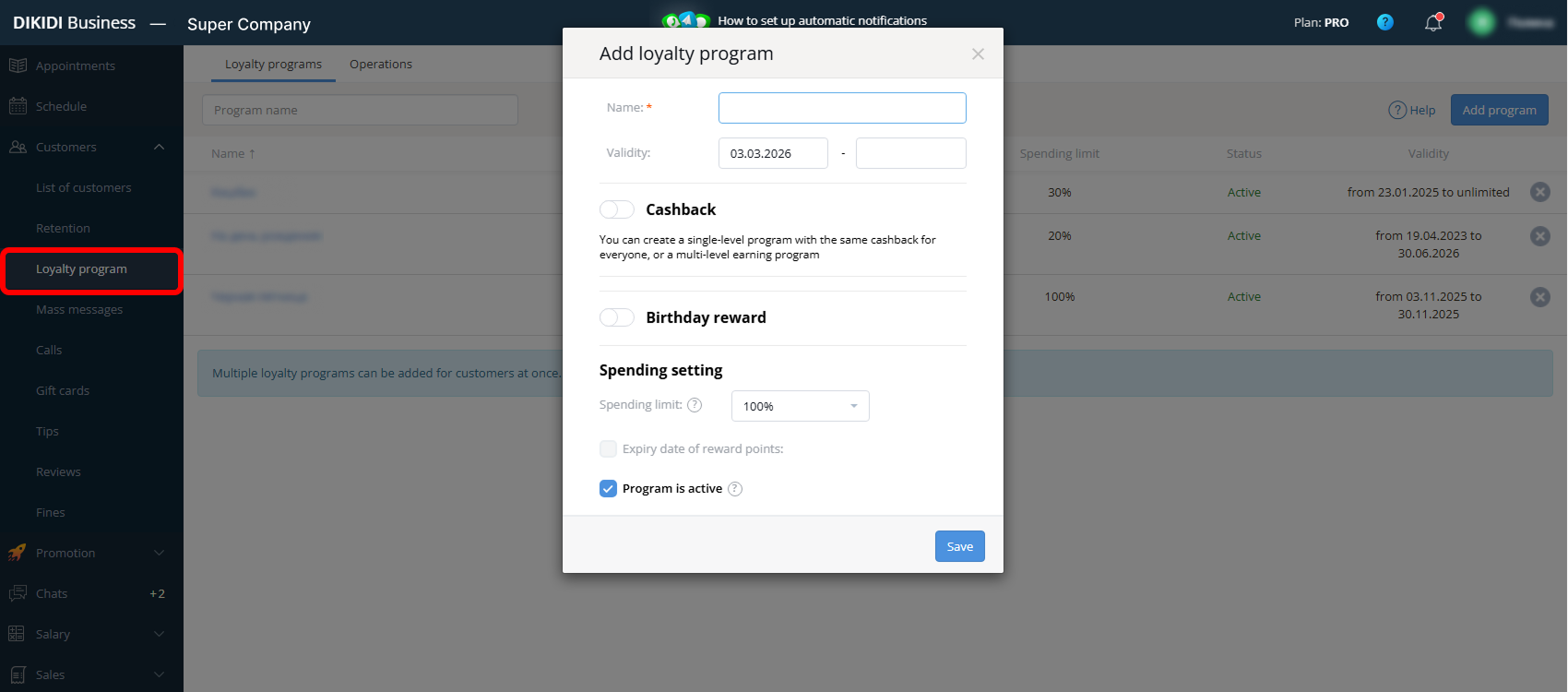
1) Bonus Program
Allows you to set up your own loyalty system with bonus accruals.
You can:
- Define cashback accrual rules;
- Set the percentage of deductions;
- Manually accrue bonuses;
- Set up automatic bonus accruals for clients' birthdays.
2) Gift cards
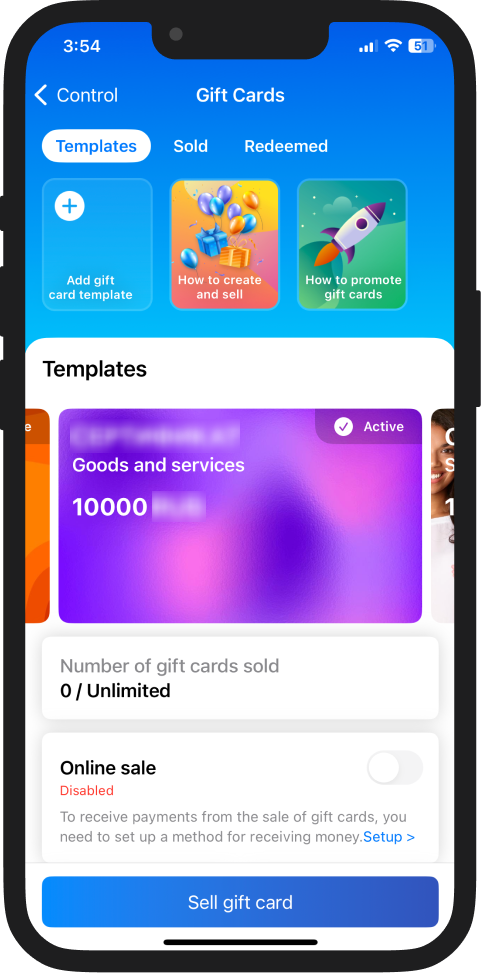
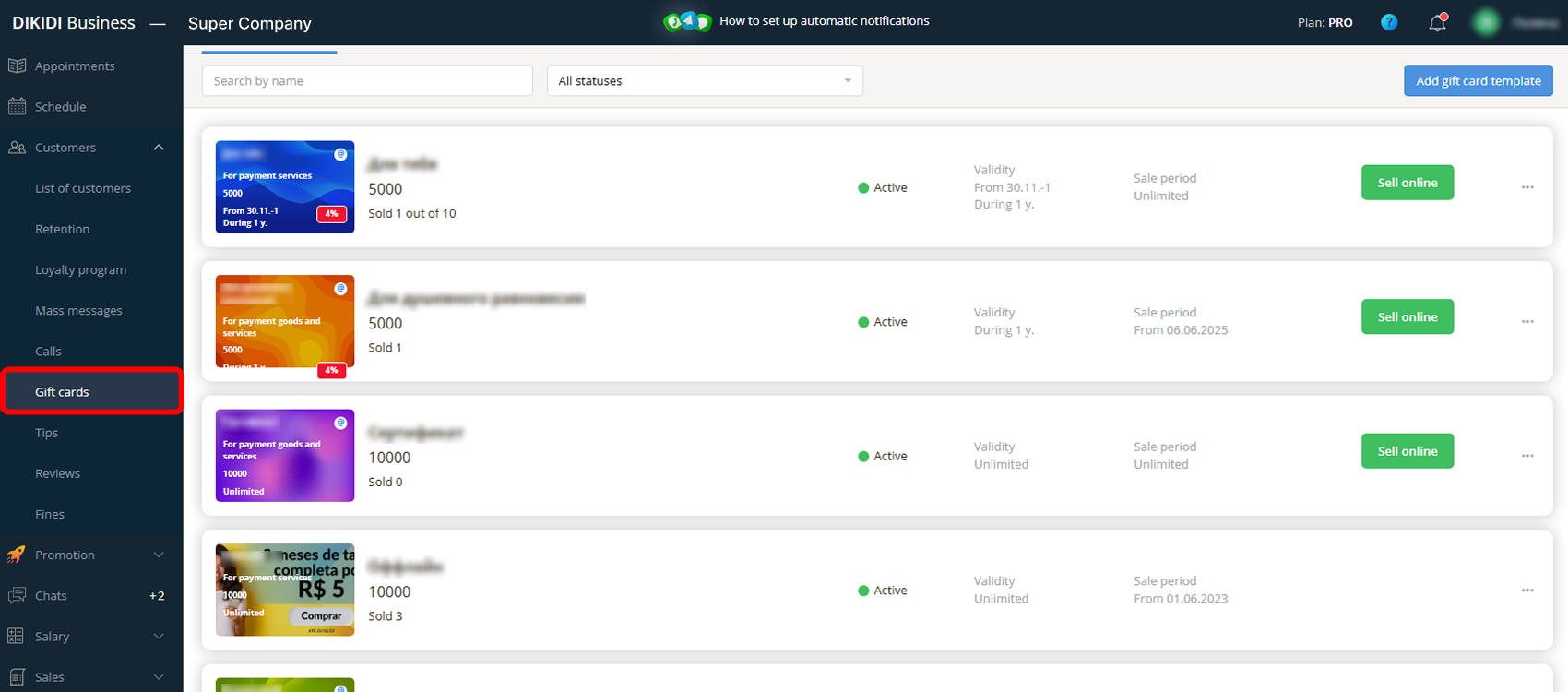
Allow you to sell gift cards both online and offline.
You can:
- Customize the design;
- Set the denomination and expiration date;
- Track sales within the system.
3) Goods
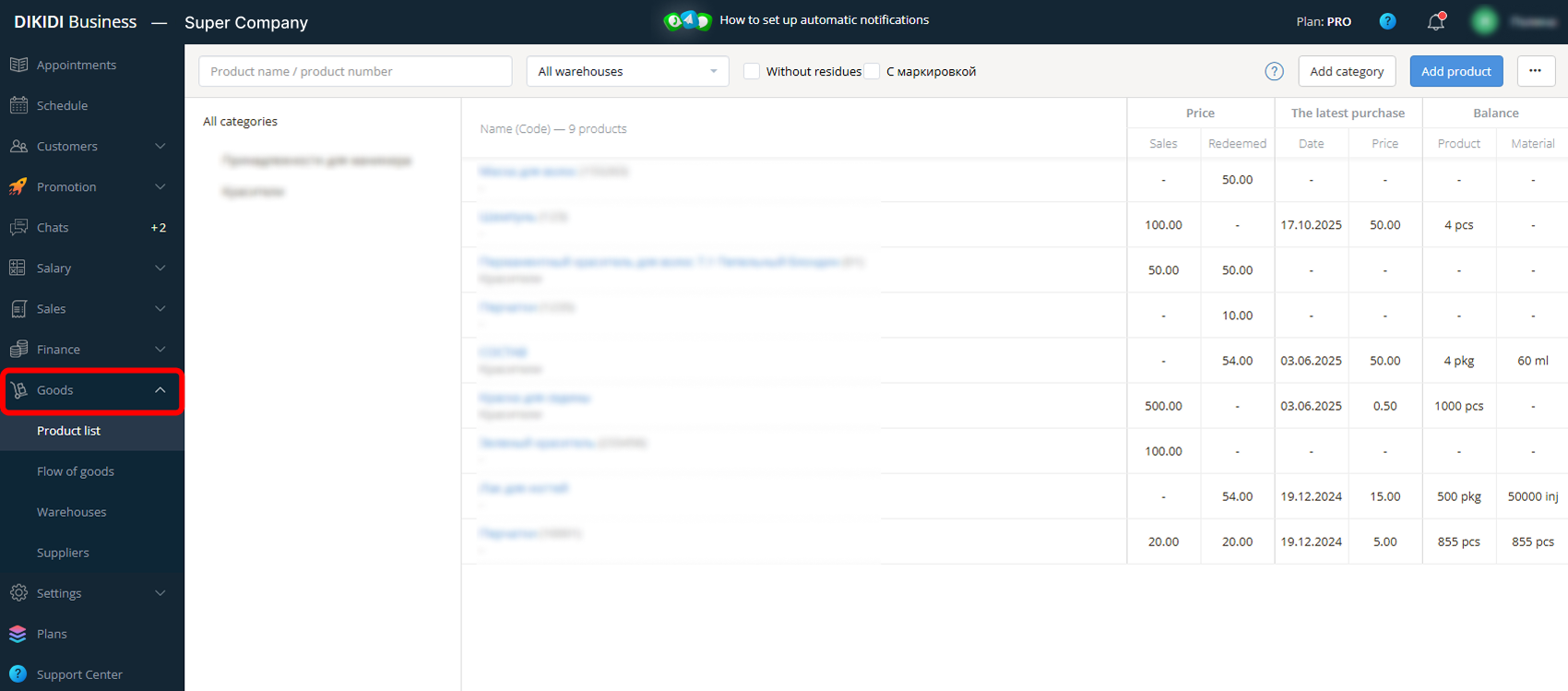
A tool for tracking goods and materials.
You can:
- Control inventory levels;
- Track the cost price;
- Deduct materials used during the services;
- Conduct inventories.
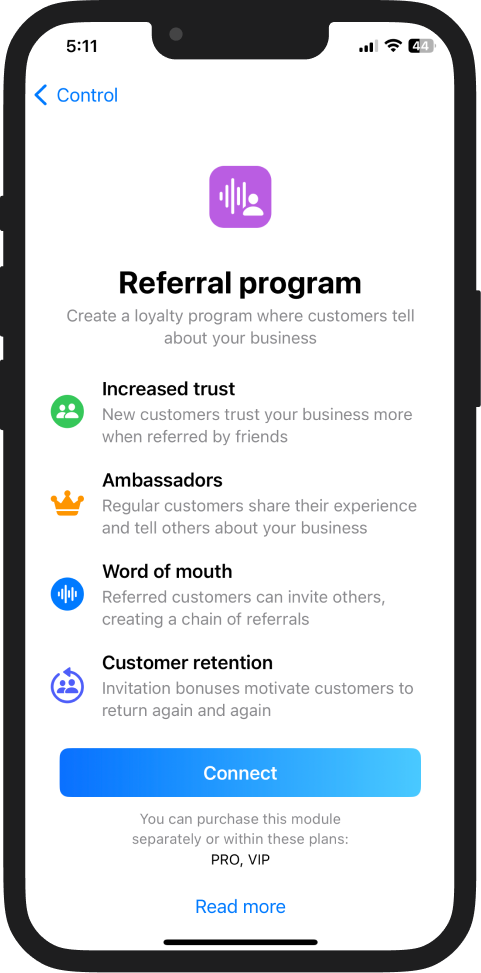
4) Referral Program
The "Referral Program" is a simple and effective way to attract new clients, where your loyal customers recommend your business to their friends and acquaintances.
Your clients receive personal links, promo codes, or QR codes and can recommend your business. If the invited client books and attends a service, the program participants receive bonuses or discounts.
3️⃣ VIP plan
The VIP plan includes all the features of the previous plans and provides extended conditions:
1) Personal Manager – support and personal assistance with your work via phone or email;
2) VIP status in the Catalog – a VIP label and a large announcement in the DIKIDI Online catalog will attract clients' attention, meaning you will get more visits to your profile and more bookings;
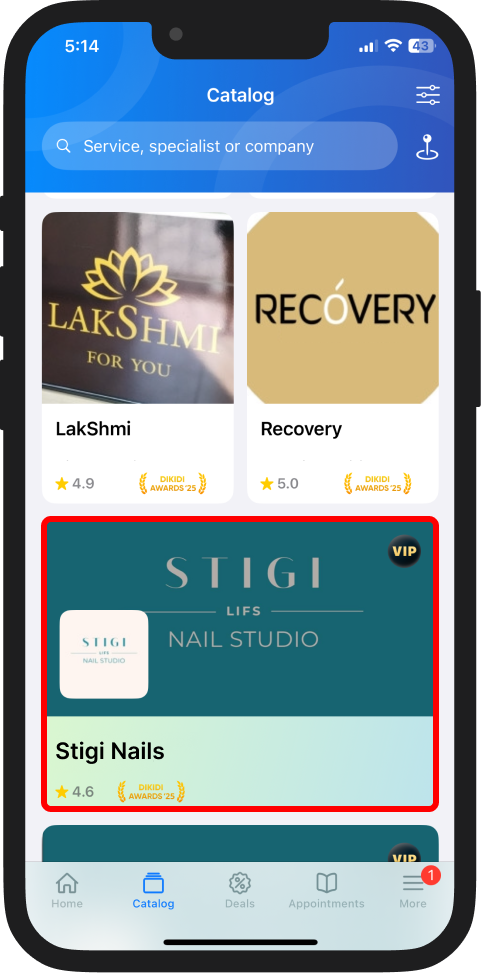
⚠️Important! Do not confuse the VIP plan with Premium placement in the DIKIDI Online catalog.
These are different things:
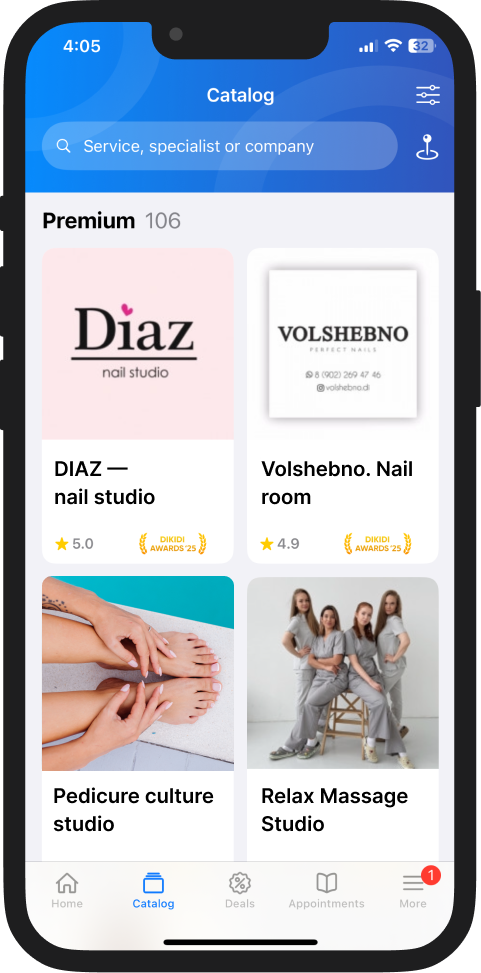
🔹 Premium placement moves your profile higher than competitors in search results;
🔹 The VIP plan makes your listing larger and more noticeable but does not affect its position in the search results.
3) 50% discount on developing your branded app;
4) 50% discount on the "Quick Start" service – it will help you learn faster how to set up DIKIDI;
5) 50% discount on DIKIDI events – exclusive invitations to all events organized by DIKIDI;
6) Increased limit for uploading photos, products, and services.
Where to enable a plan and check prices:
In the DIKIDI Business mobile app 📱, go to "Settings" → "Plans". In the web version 🌐, navigate to the "Plans" section in the left menu.
Promotion 🚀
Promotion tools are not included in the plans and are available as extras.🔹 Premium Placement
"Premium Placement" allows you to show your profile above competitors in the catalog and highlight it on the map.
Where to find the cost and activate "Premium Placement":
In the DIKIDI Business mobile app 📱, go to "Control" → "Promotion" → "Premium Placement", or in the web version 🌐, find it in the left menu under "Promotion" → "Premium".
🔹 Promotion of Special Offers
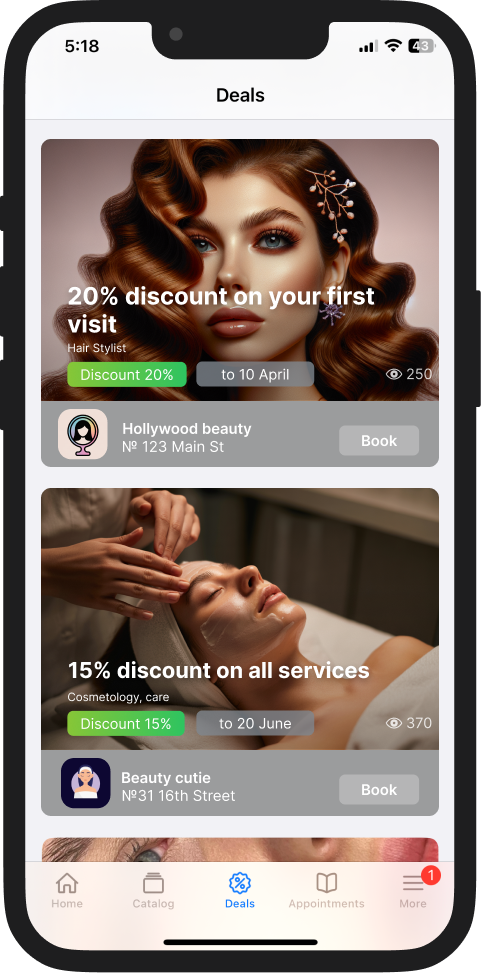
Create deals for the services you want to promote and publish them in the DIKIDI Online catalog. They will appear in a separate block among services in the city and will be highlighted in your profile when booking online.
To find out the cost and set up Deals:
In the DIKIDI Business mobile application, go to the "Control" section, then select "Promotion," and finally choose "Deals". In the web version, navigate to the "Promotion" section and then click on "Deals".
If you have any questions, please contact Support — we are available at any time! The "Chats" section in the DIKIDI app 📱 and "Messages" in the web version 🌐.
📚 Read also: