Salary Accrual Automation: Setup & Calculation in DIKIDI
Last modified:
The Payroll feature in DIKIDI Business allows you to easily set up and calculate employee salaries. Let's go through the process using a beauty salon administrator as an example.
1️⃣ Setting Up a Salary Scheme
Before calculating salaries, you need to configure the calculation scheme. For an administrator, you can choose one or multiple schemes:
- Fixed payment: a set wage per shift or working hours.
- Percent of own sales: if the administrator participates in selling services and products.
- Percent of the appointments created: if the salary depends on the number of new bookings.
- Percentage of own sales: salary depends on the administrator’s direct sales (for example, at the reception).
- Guaranteed payment: if the administrator receives a fixed salary for coming to work.
🔸 $20 per working day
🔸 5% of service & product sales
🔸 2% of created appointments
1. Go to "Salary" → "Salary Schemes"
2. Specify the start date for the new salary scheme
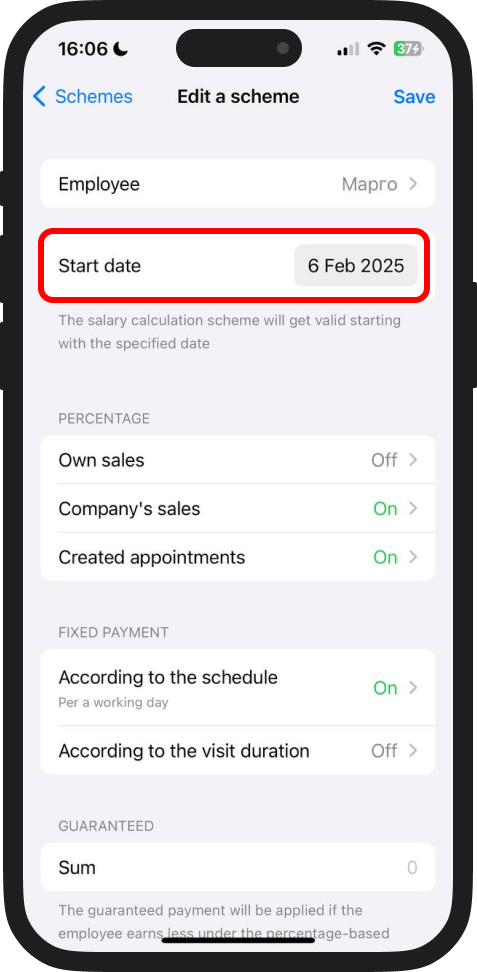
3. Click "Add Scheme" and select the required parameters:
- For the fixed payment, set $20 per a working day
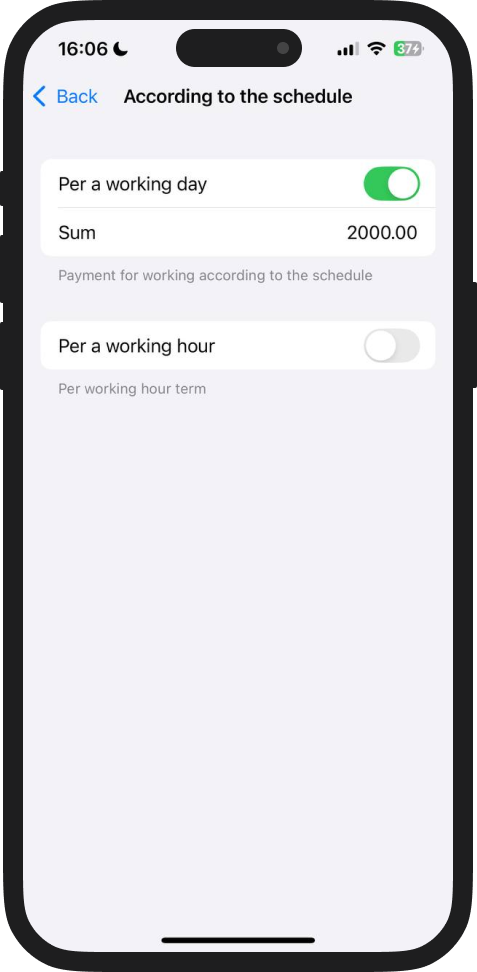
- For the percent of sales, set 5%
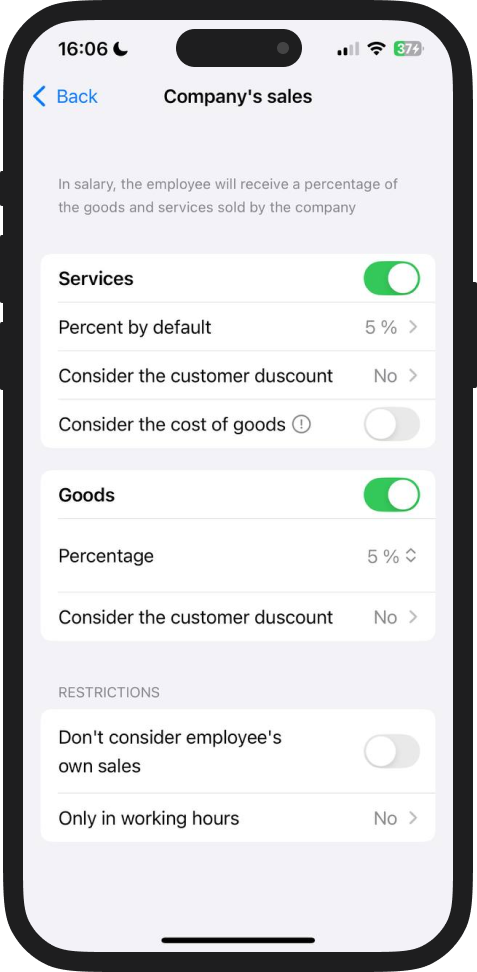
- For the percentage of appointments created, set 2%
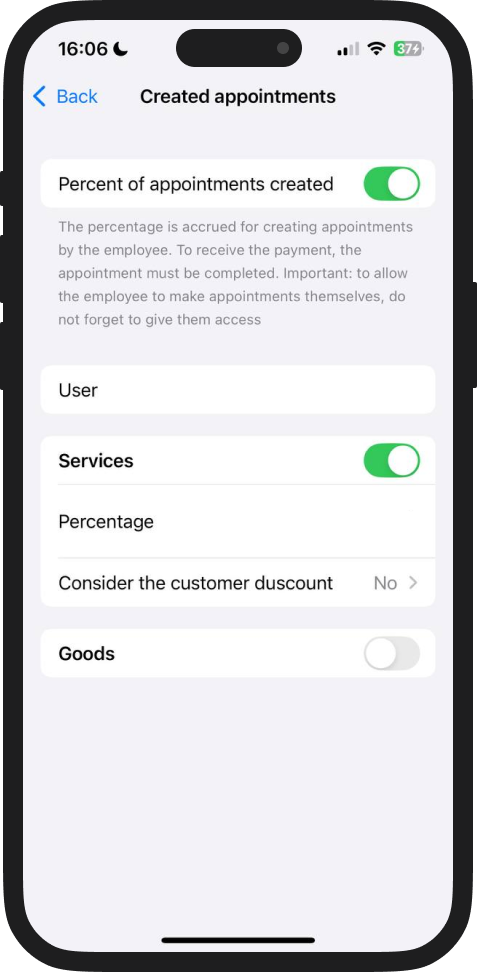
4. Save the settings.
2️⃣ Salary Calculation
After setting up the schemes, you can proceed with salary calculation.
- Go to "Salary" → "Balance"
- Click "Reward" → "Pay according to the scheme".
- Select the administrator and specify the calculation period.
- The system will automatically calculate the salary based on the scheme.
- Click "Save".
✅ Example Calculation: If the administrator worked 15 shifts, the total salon sales amounted to $2,000, and the created appointments totaled $1,000, the salary will be calculated as follows:
💰 $20 * 15 shifts = $300💰 5% of $2,000 = $100
💰 2% of $1,000 = $20
Total: $420
With DIKIDI, salary calculation and processing become simple and transparent. Use automated payroll schemes to save time and reduce errors.
⚠️ Coming Soon – Automatic Salary Calculation
In the upcoming update, the system will automatically calculate salary ⚡
The "Salary" feature is available in all fee DIKIDI plans.
📚 Read also: