How Online Booking Changes the Game Rules
Last modified:
Online booking for clients is the new standard in the service industry.
This ensures convenient scheduling and a steady flow of clients 🔥
In the DIKIDI service, there are numerous ways of online booking that you can integrate.
Let's look at some of them:
✅ Direct link
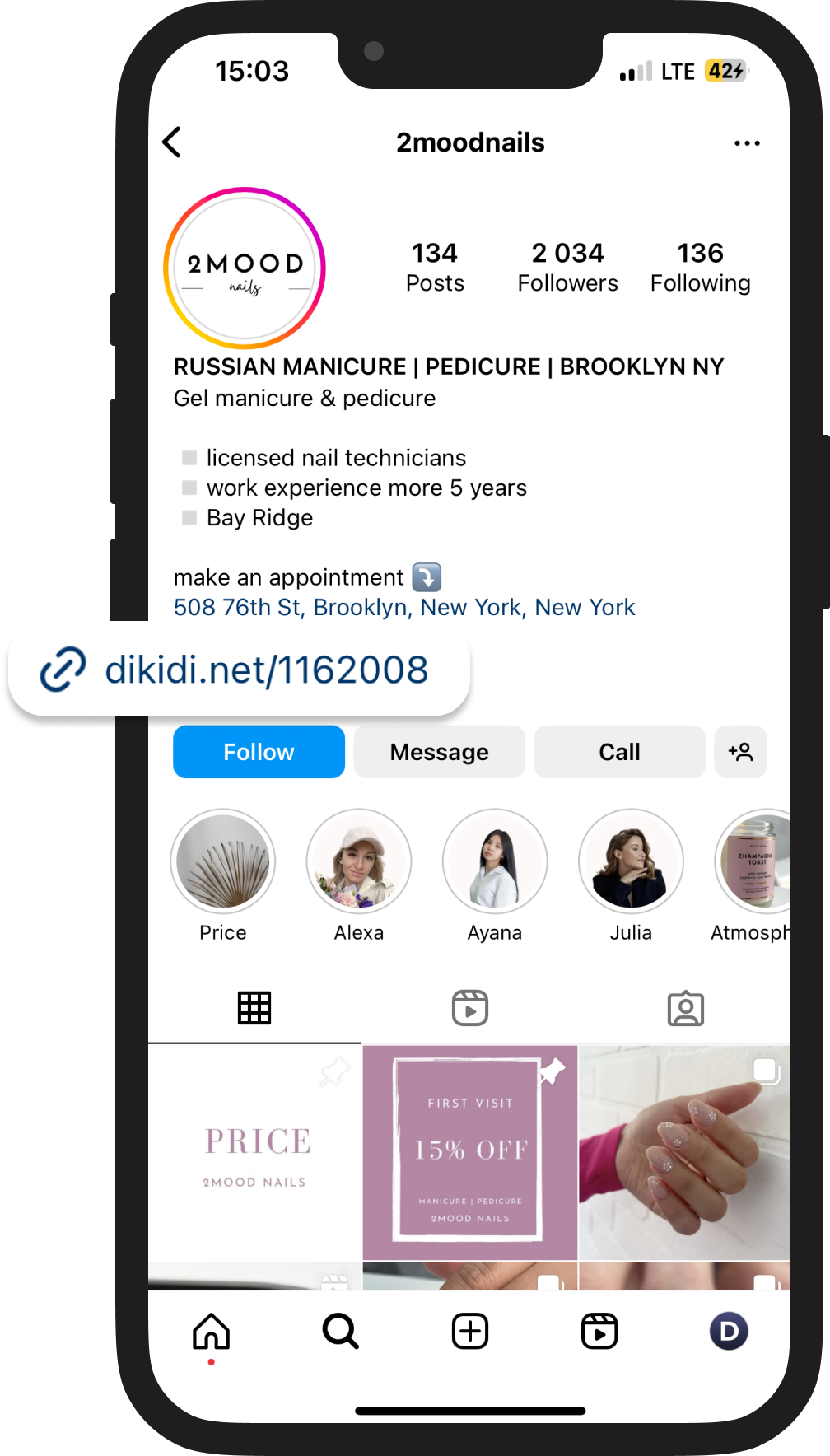
In our system, a direct link will be created specifically for you.
You can use it on any social networks and messengers - send it in private messages, attach it to posts, or add it to your profile description.
✅ "Book Now" button
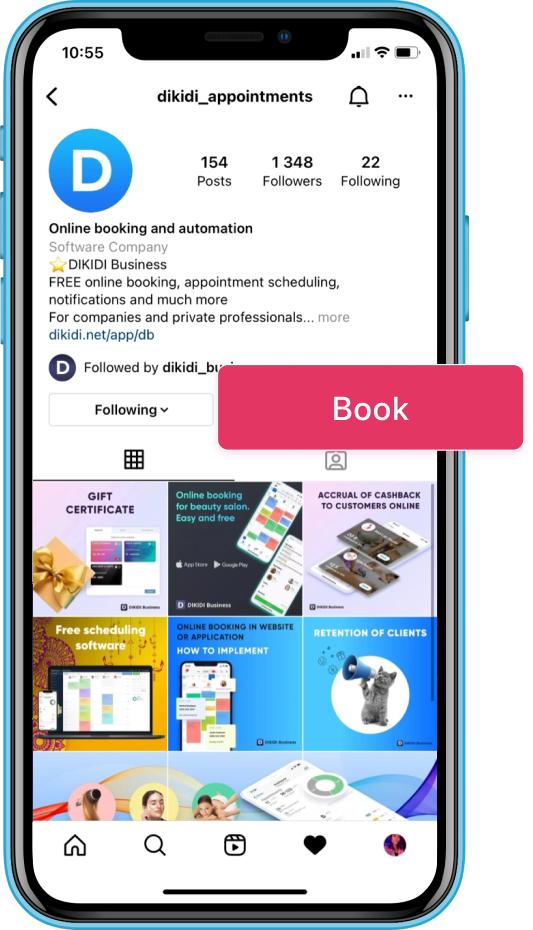
Add the button to your business account on Instagram or Facebook.
After clicking, a page will open where clients can book without leaving the social network.
Instruction: How to Create the Book Button on Instagram and Facebook
✅ Google Maps
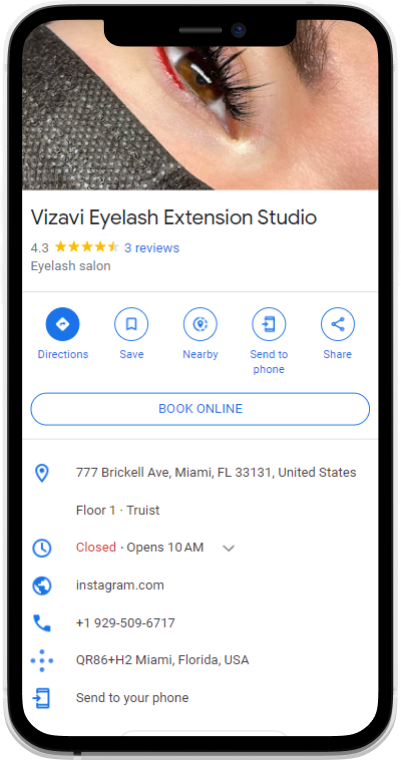
A "Book Online" button will appear on your company's card in Google Maps.
It will appear automatically if you have:
– online booking enabled in DIKIDI ("Active" status);
– a profile created in Google;
– matching name and address both in DIKIDI and Google.
🚀 According to DIKIDI statistics, every third client chooses these methods for booking.
Hurry up and enable online booking!
✅ After activation, your profile will be published in the DIKIDI Online catalog.
You'll have a personal page on the DIKIDI.net website where clients can schedule appointments themselves.
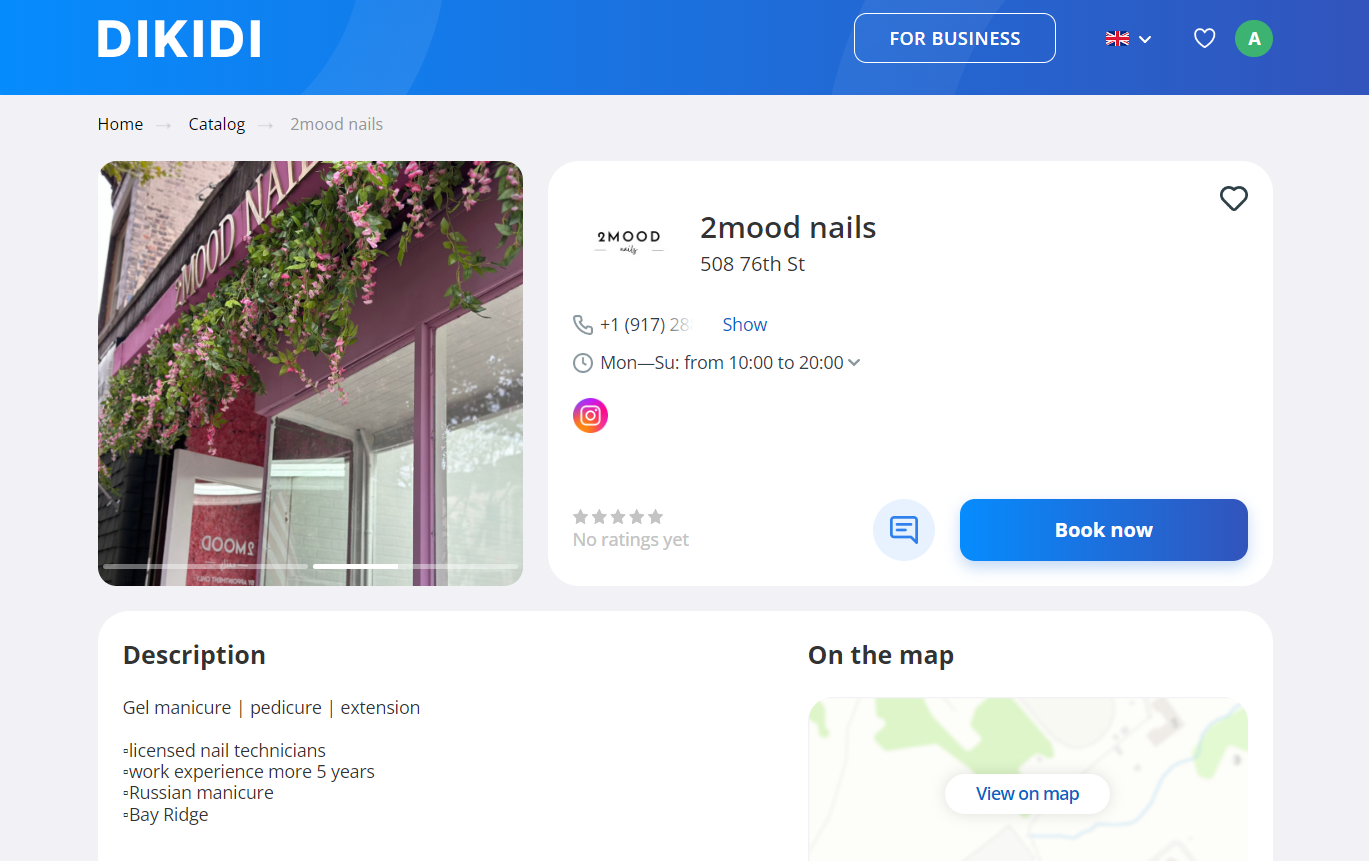
You can customize the page to match your specific style - adjust the color scheme, add descriptions, select background and profile images, and supplement with interior photos and specialists' portfolio.
👉 To activate, go to the Settings - Online Booking section
If you have any questions, please contact our Support Service ("Chat" or "Messages" section).
Learn more:
Online Booking Ways
How to Enable Online Booking