DIKIDI Analytics: Your Business in Numbers
Last modified:
Business is constant movement. Clients come and go, service popularity changes, and competition never sleeps. How can you stay afloat and even get ahead? The answer is simple — analytics! DIKIDI helps you understand the numbers so you can use them for growth.
Why do you need analytics?
Analytics in DIKIDI is more than just numbers - it’s a tool that helps you:
✔️ Track key business metrics;
✔️ Optimize team performance;
✔️ Improve customer service;
✔️ Increase profits through smarter decisions.
📌 How to use DIKIDI analytics?
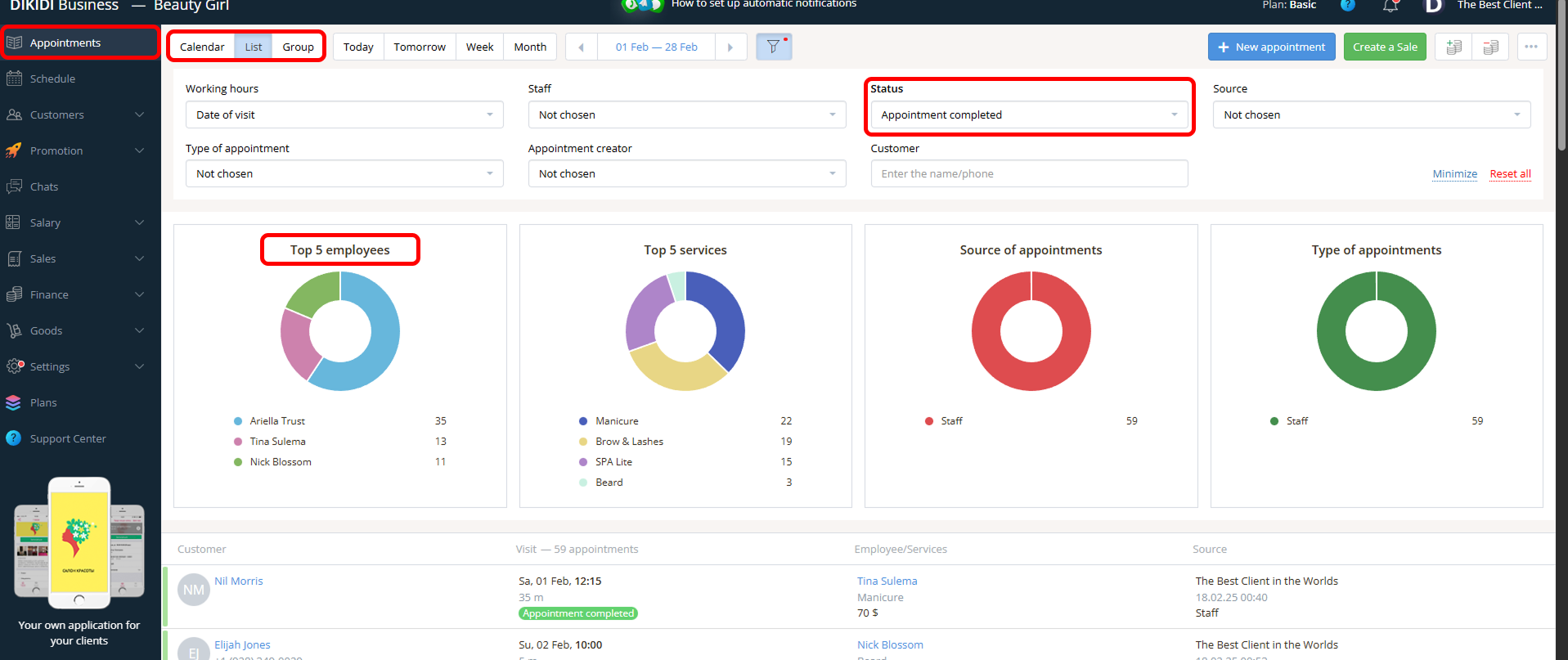
Who is the best on your team?
Managing a team is easier when you can see who brings in the most clients. DIKIDI allows you to track specialists with the highest number of completed visits.
This data helps you:
✅ Reward top-performing employees;
✅ Distribute workloads efficiently;
✅ Train your team using successful specialists as examples.
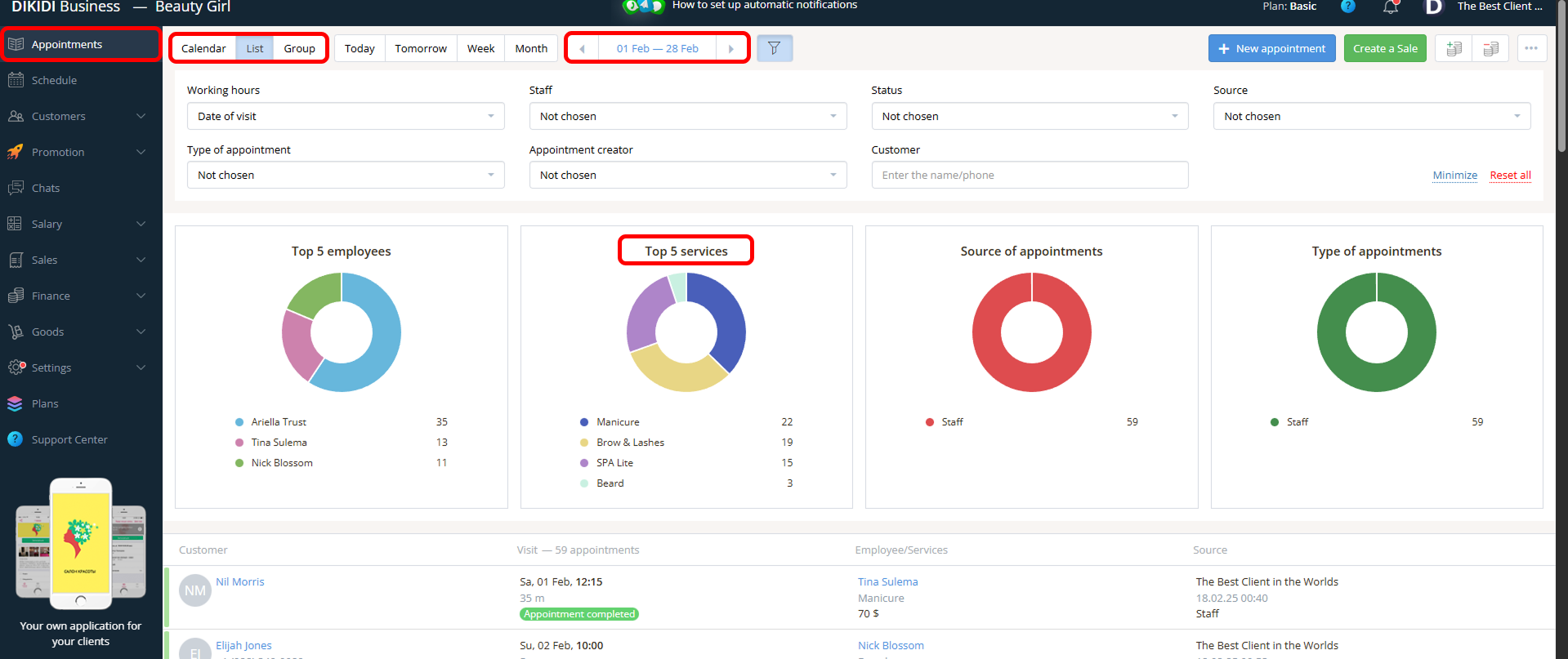
Which services are at peak demand?
Which procedures do clients choose most often? In DIKIDI, you can view the Top 5 most popular services.
Use this data to:
✔️ Boost advertising for your most popular services;
✔️ Adjust pricing and expand your service list;
✔️ Remove services that are no longer in demand.
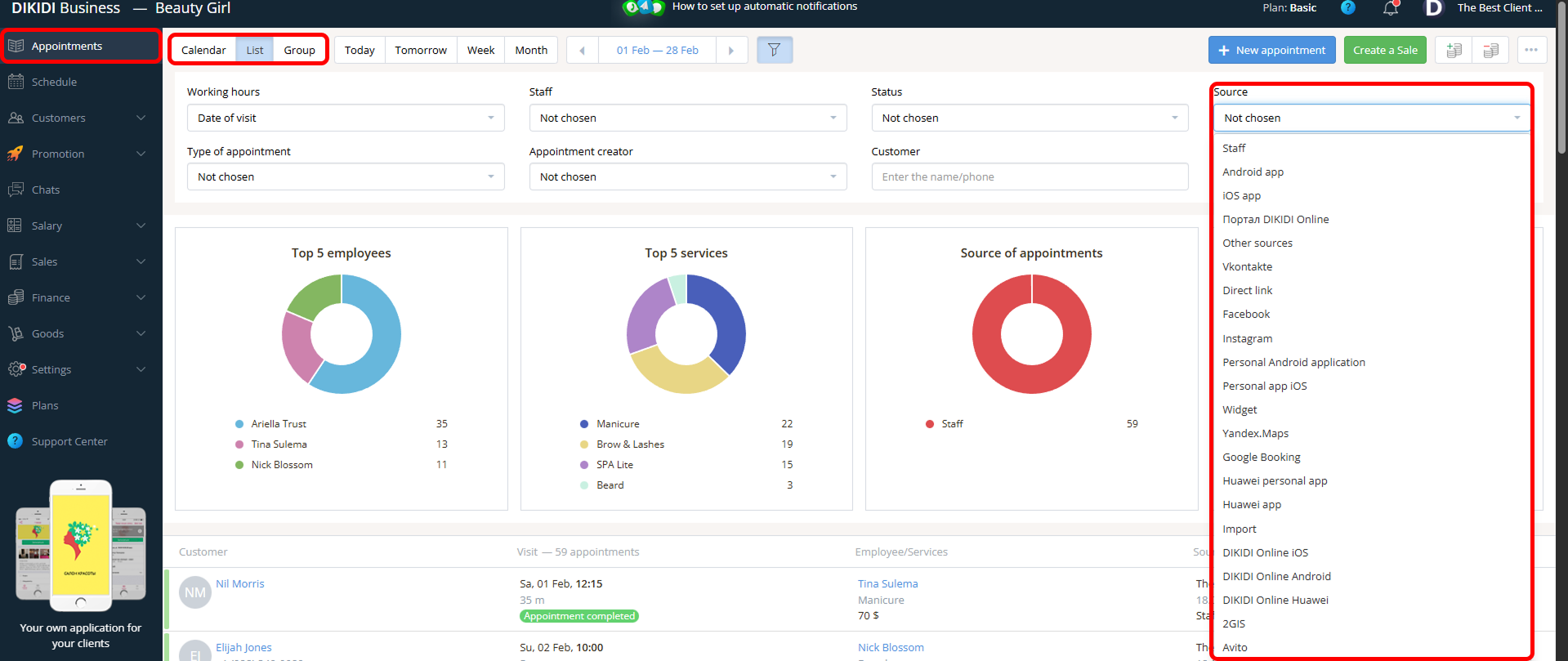
Where to find new clients?
It’s important to understand which source perform best. DIKIDI shows you where bookings come from. Use this data to strengthen advertising where clients are most active.
For example, if most bookings come through mobile apps, invest in Premium placement 🏆
Control at every stage: who showed up and who didn’t?
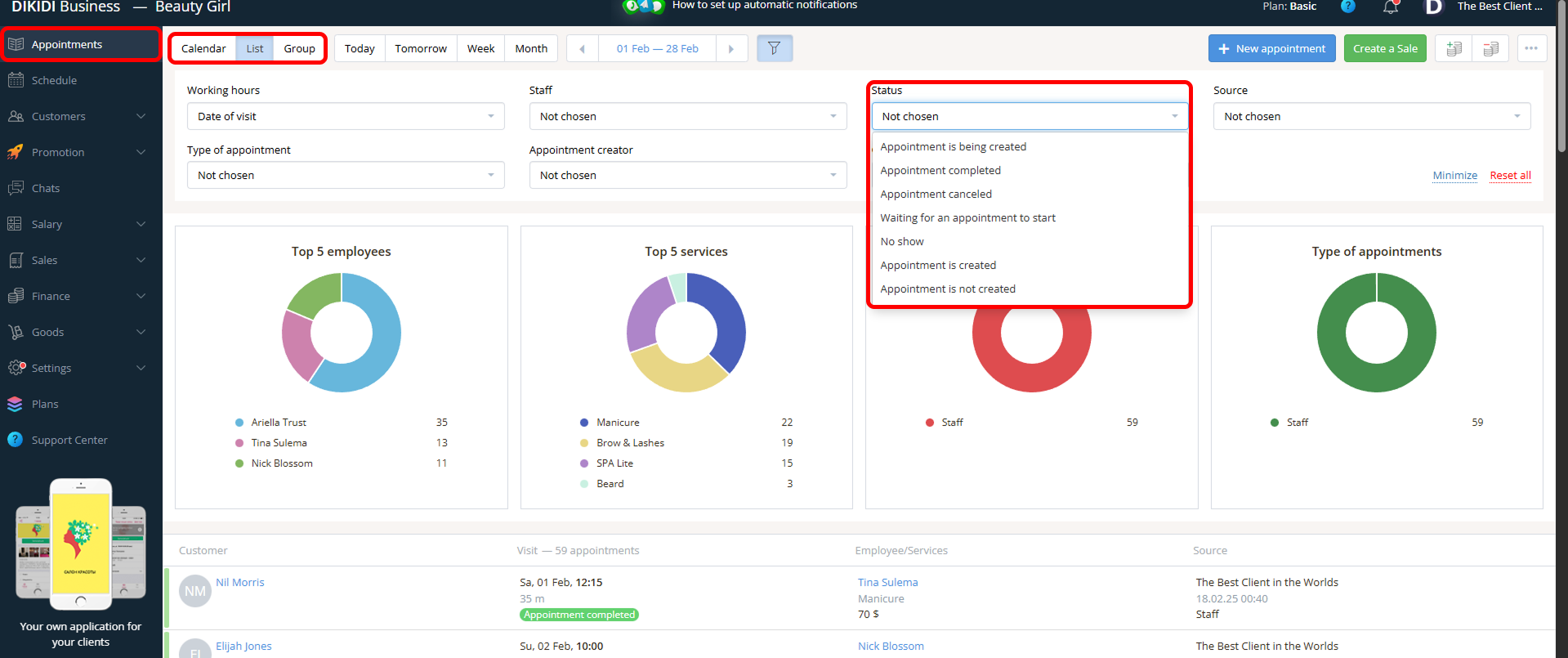
DIKIDI tracks all appointments statuses:
🔹 “No show” - identify problematic clients;
🔹 “Appointment canceled” - analyze cancellation reasons;
🔹 “Waiting for an appointment to start” - manage client flow;
🔹 “Appointment is not created” - monitor accurate record-keeping.
Analysis for a specific client
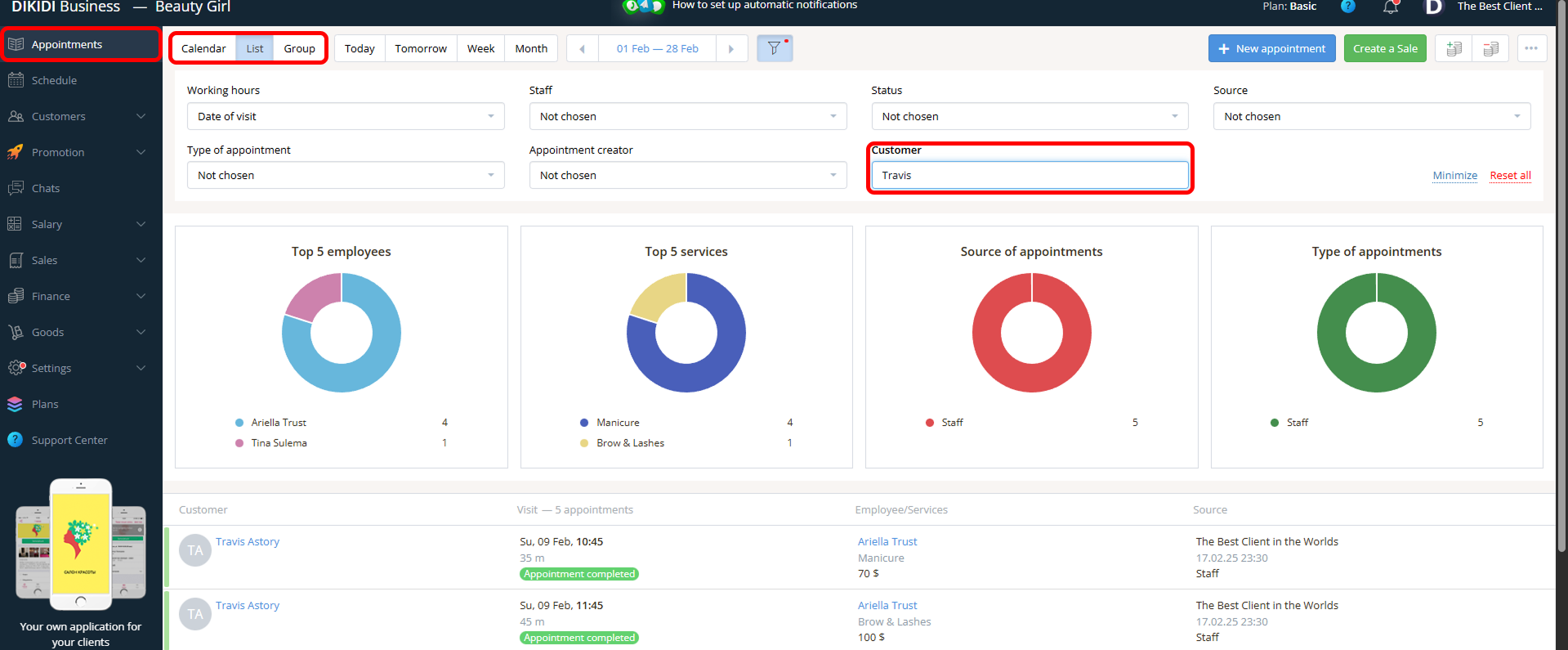
Want to learn more about your customers’ habits and preferences? In DIKIDI, you can analyze data for each client individually. Simply enter the customer’s name in the “Customer” field.
DIKIDI Analytics is your indispensable assistant. Don’t miss the opportunity to use it to grow your business 🌱
⚙️ Booking analytics are available in “Appointments” → “List” in the DIKIDI Business web version.
📚 Read also: