How to report content in DIKIDI Online
Last modified:
You can report content that violates the service rules. After verification by our Support Team, the violating content will be hidden.
What can be reported
A report can be submitted for almost any element of the project:
🔹 Photos – in staff and service cards, in reviews, in the interior gallery, in work examples, in promotions, on gift cards, and in referral programs
🔹 Reviews
🔹 Staff
🔹 Services
🔹 Gift cards
🔹 Referral program
How to submit a report
Step 1. Log in to your account
Only an authorized user can submit a report. If you are not logged into DIKIDI Online, please log in first.
Step 2. Open the object you want to report
Go to the photo, review, gift card, staff or service card – where the violating content is located.
Step 3. Click "Report"
Depending on what you are reporting, the button is located in different places:
🔹 For a photo – open the photo in full size and click on the "Report" icon in the upper left corner;
🔹 For a review, staff, service, project profile, gift card, or referral program – open the menu by clicking on the three dots and select "Report".
Step 4. Fill out the form
The "Report reason" window will open. In it, you need to:
1️⃣ Select one reason from the list;
2️⃣ Specify an email – we can contact you regarding your report at this address;
3️⃣ Add a comment. This is optional, but if you selected "Other reason", a comment is required.
Step 5. Submit the report
After submitting, a notification will appear: "Your complaint has been received. TIt will rewiewed by DIKIDI Support Team".
What reasons can be selected
The list of reasons depends on what you are reporting.
📌 For photos, services, staff, gift cards, and referral programs
- Harassment
- Explicit content
- Promotion of drug use
- Violence
- Encouragement of suicide
- Animal cruelty
- Misleading Information
- Hate speech
- Extremism
- Other reason
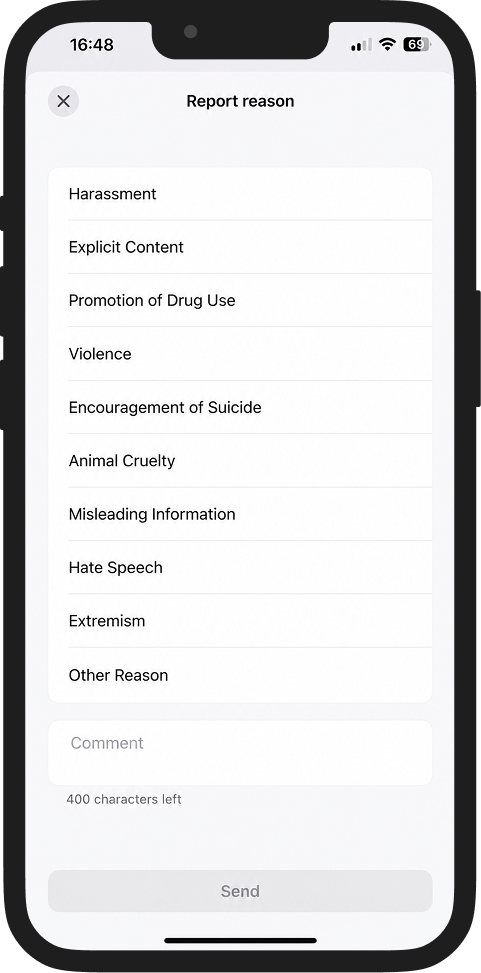
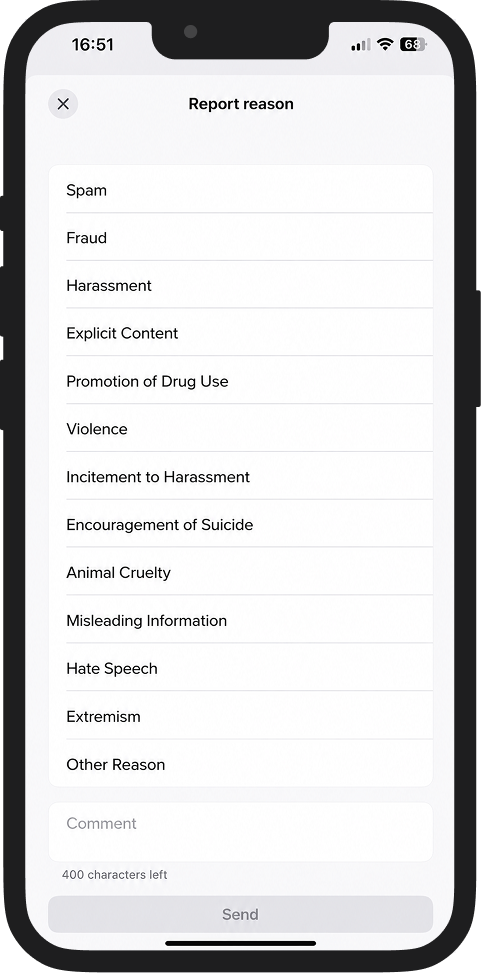
📌 For reviews, in addition to the list above, the following are available:
- Spam
- Fraud
- Encouragement of suicide
What happens after submission
1️⃣ The report goes to the DIKIDI Support Team;
2️⃣ A moderator checks the content and two outcomes are possible:
- Violation confirmed – the content is hidden in DIKIDI Online. The project owner receives a notification in the chat that the content has been deleted.
- No violation found – the report is rejected. It will not be possible to report this same content again.
Important restrictions ❌
🔺 One report per object – you can report the same object only once. If the report is rejected by the moderator, you cannot send a new report for the same content.
🔺 You cannot report the project you work in. If your phone number is registered in DIKIDI Business as a project staff number, an error message will appear when attempting to report.
🔺 Authorization is required – the feature is unavailable without logging into an account.
If you have any questions
All reports are reviewed by the DIKIDI Support Team. If additional information is needed regarding your report, we will contact you at the email specified during submission.