Mass messages to your customers in DIKIDI
Last modified:
Mass messaging lets you send messages to a group of customers or your entire client base at once.
With its help, you can:
– Tell them about promotions and special offers;
– Congratulate customers on holidays;
– Bring back those who haven't visited in a while;
– Announce new services;
– Make a personalized offer to a selected audience.
Where to create a mass message
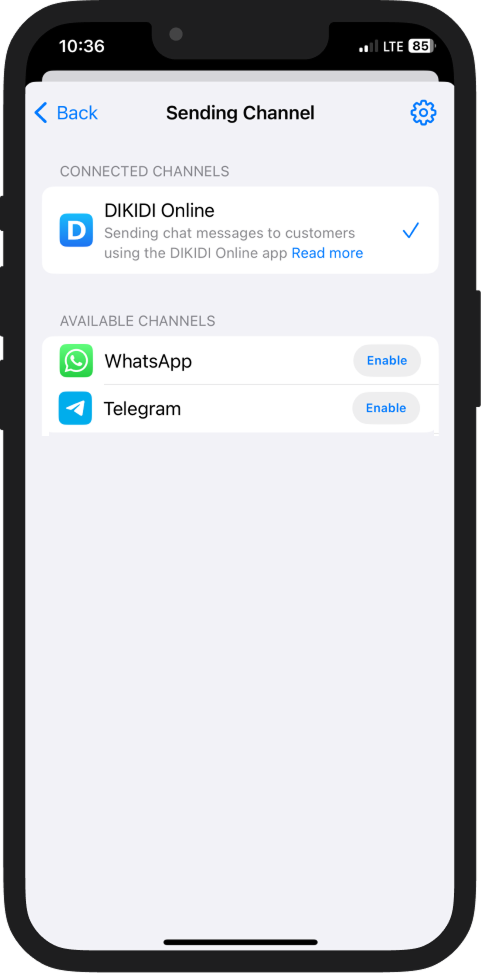
In the DIKIDI Business mobile app
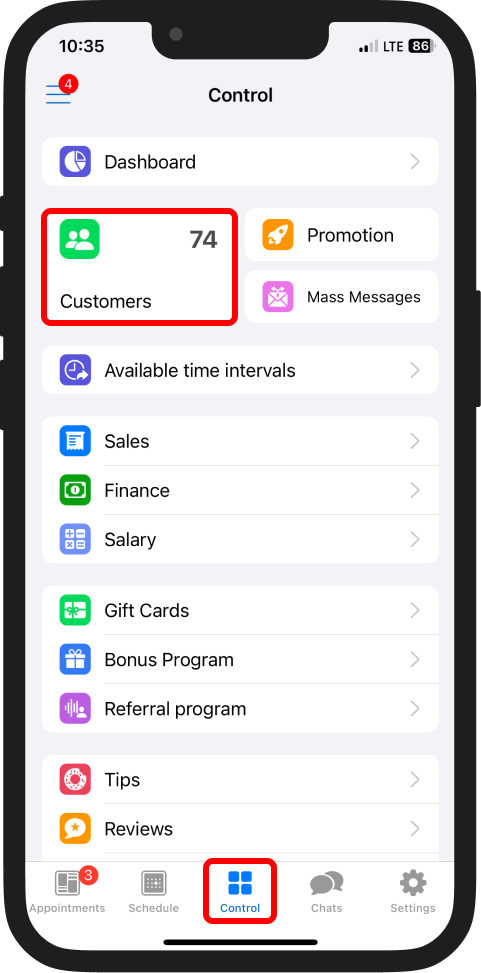
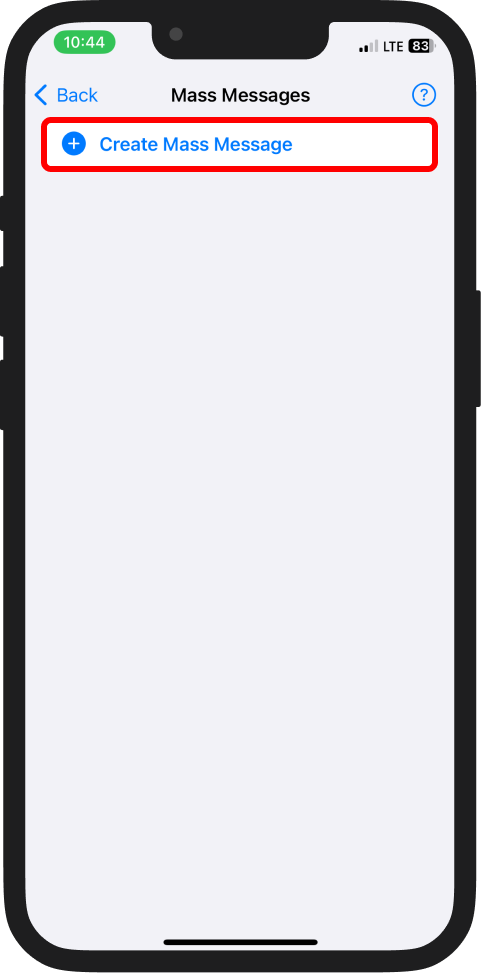
Go to: “Control” → “Mass Messages”
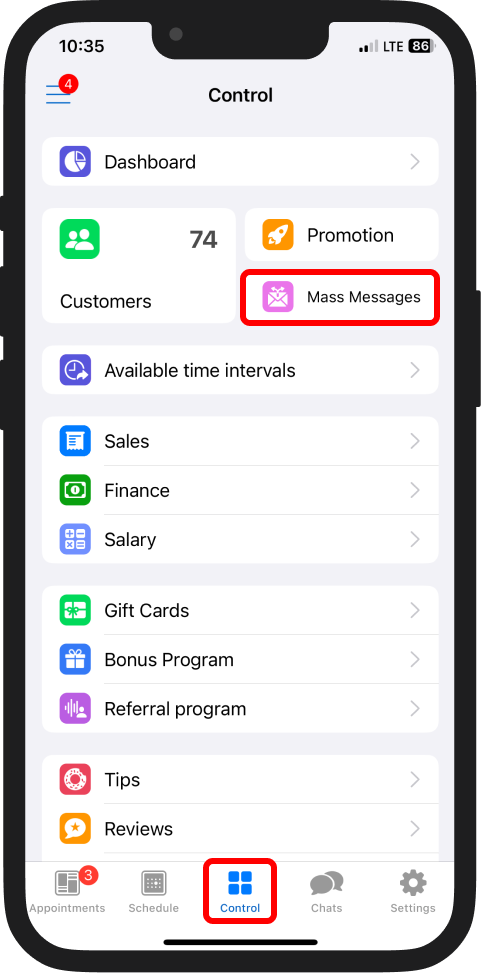
or “Customers” → “Mass Messages”.
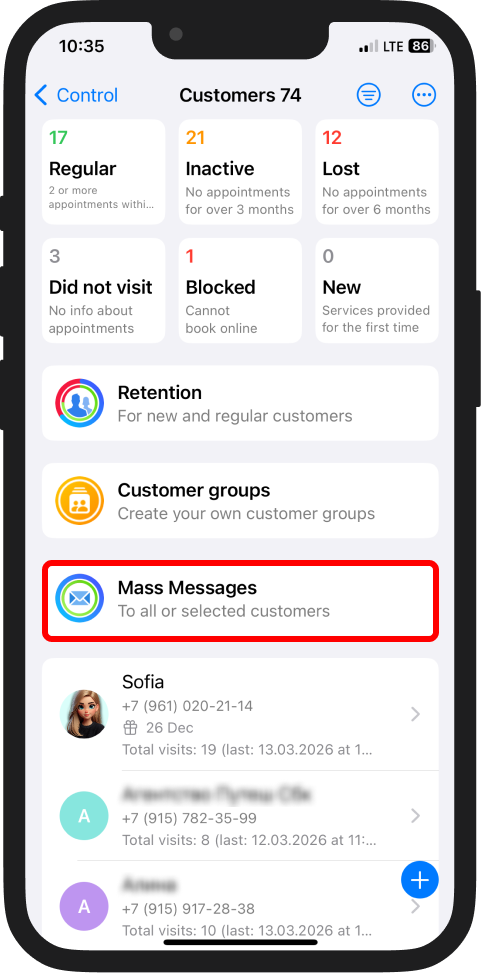
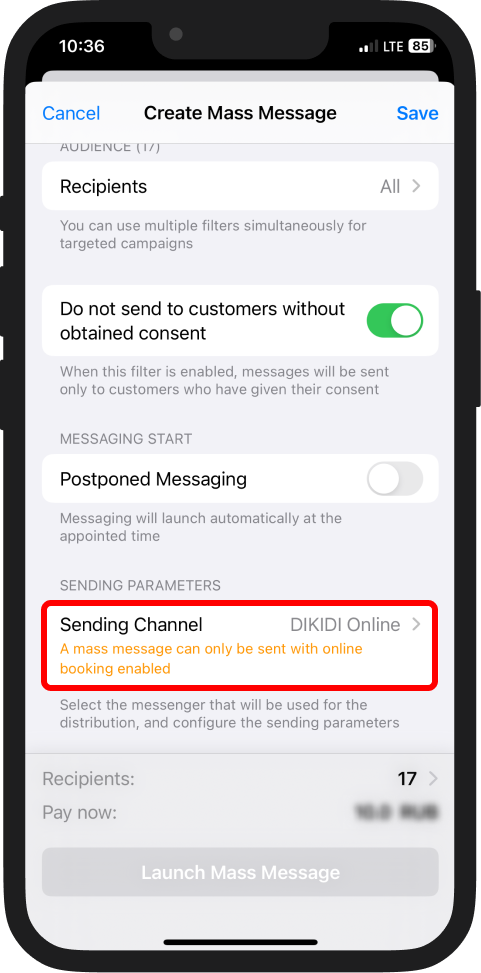
Available channels for sending mass messages:
🔹 DIKIDI Online chat;
🔹 Telegram;
🔹 WhatsApp.
In the DIKIDI Business web version
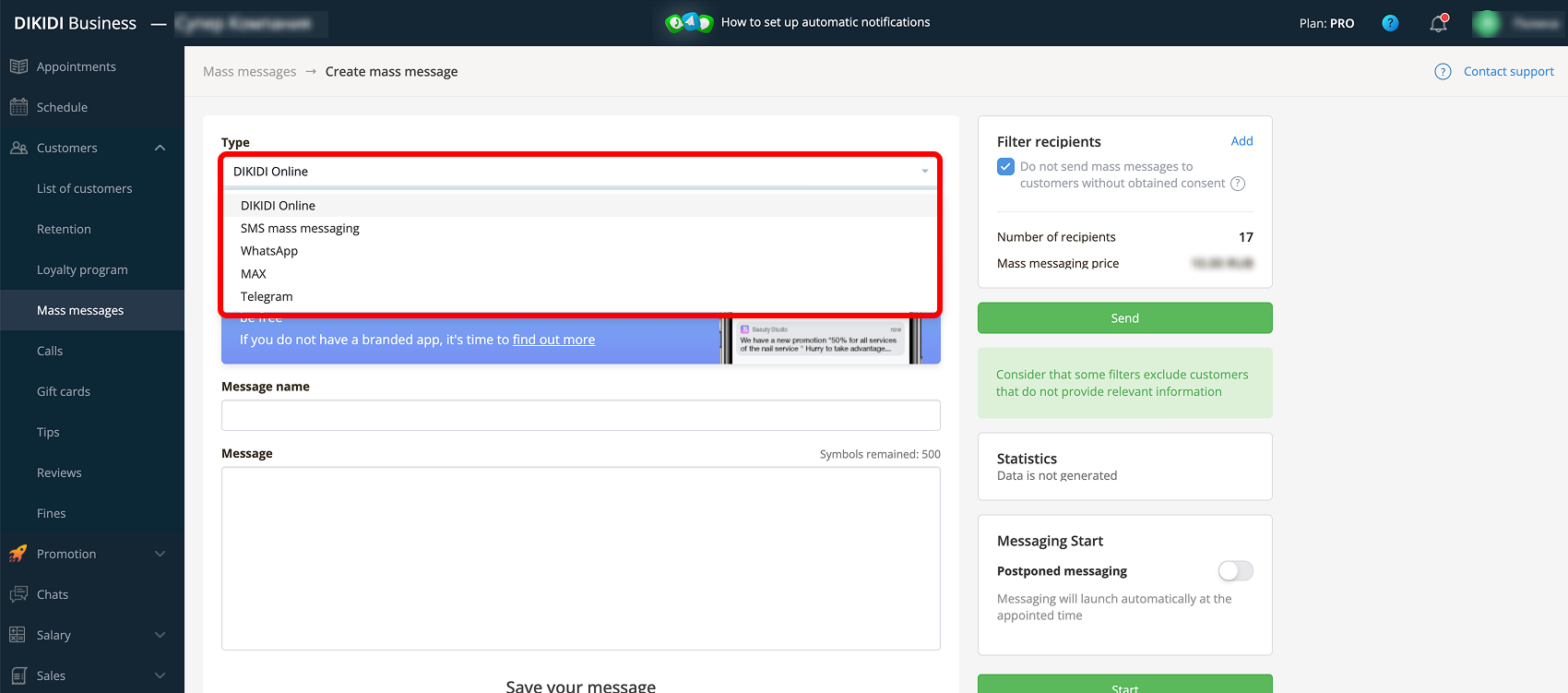
Go to: “Customers” → “Mass Messages”.
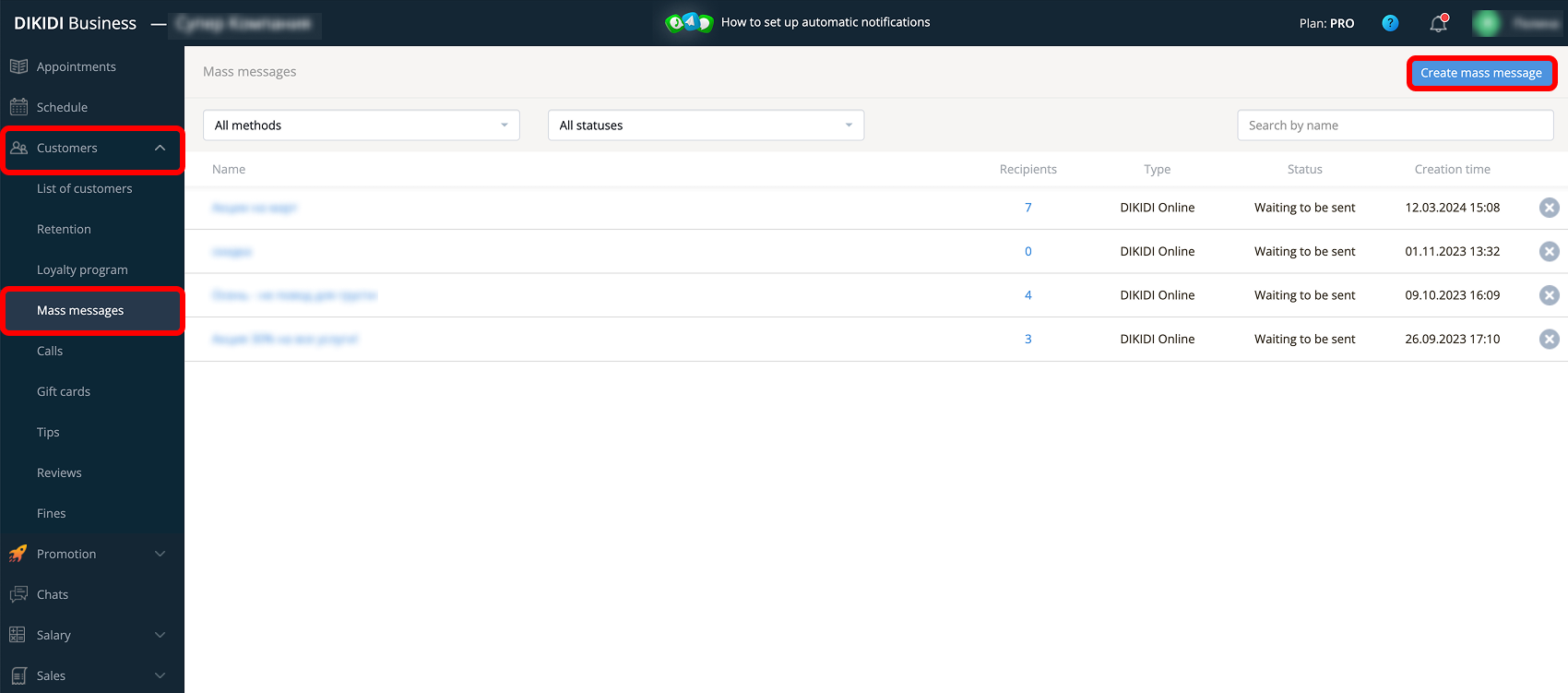
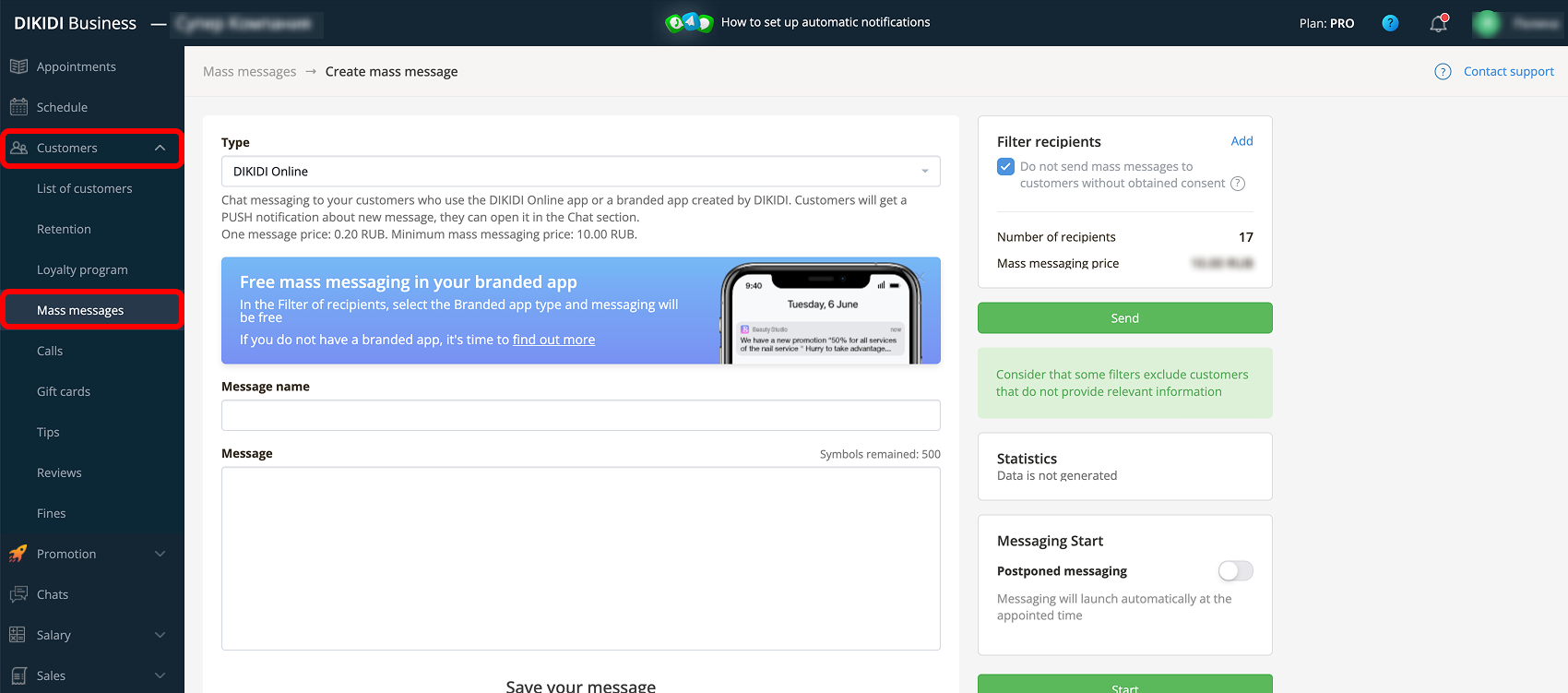
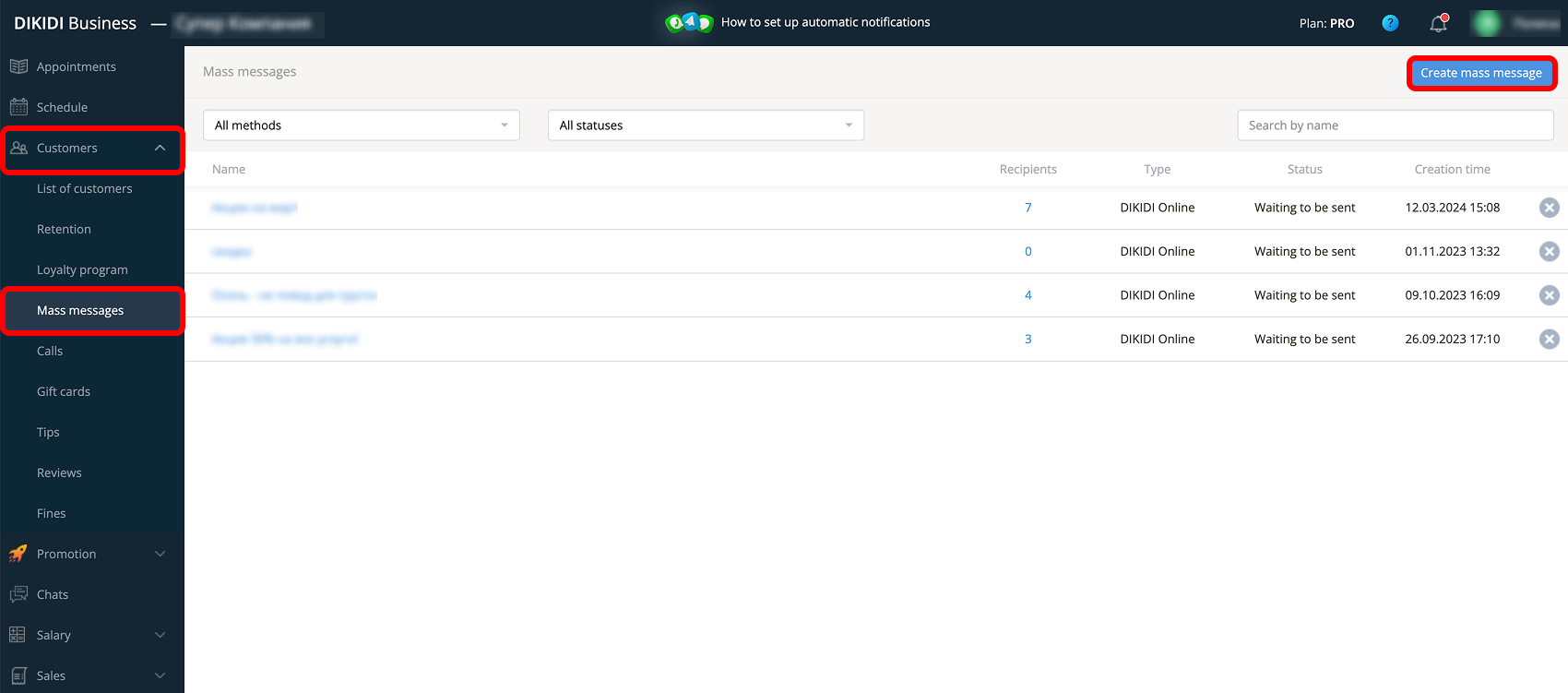
Available channels:
🔹 DIKIDI Online chat;
🔹 Telegram;
🔹 WhatsApp;
🔹 Branded app;
🔹 SMS.
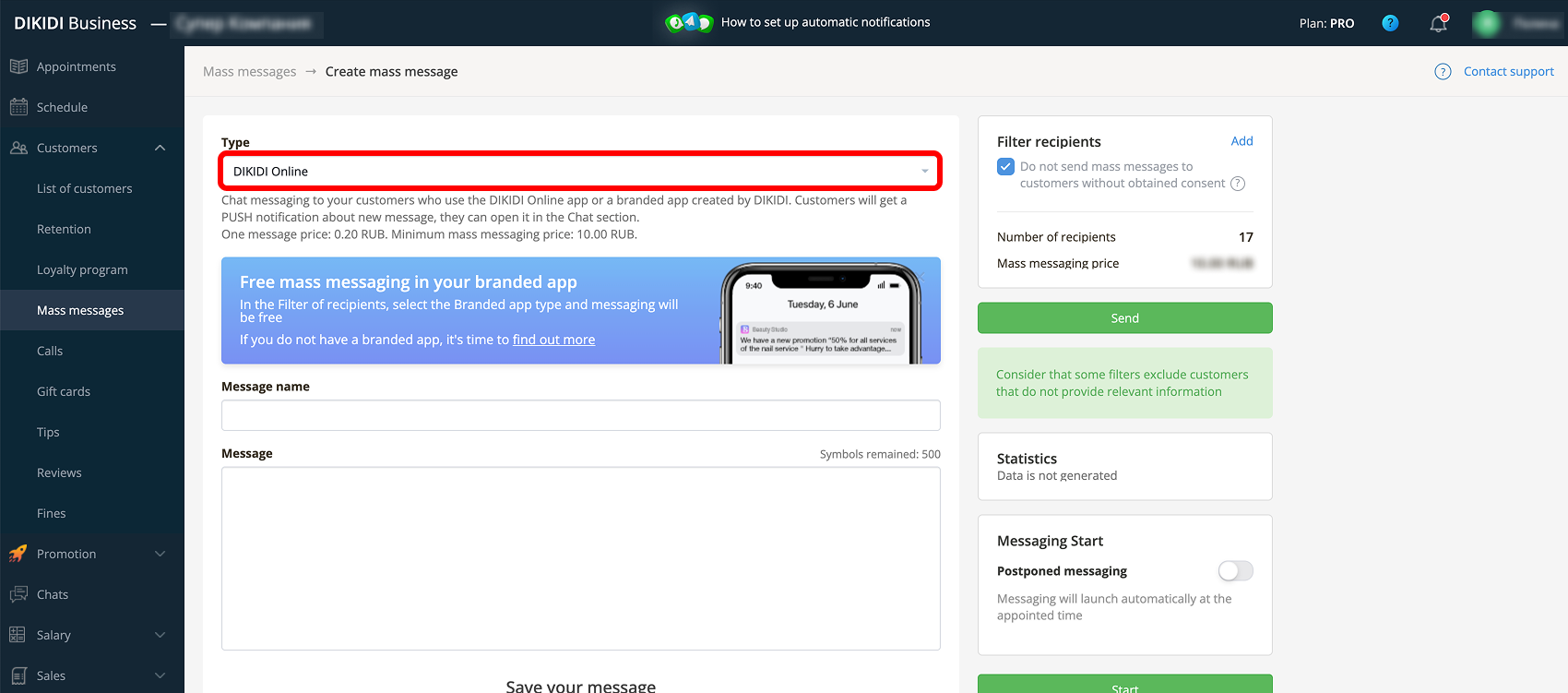
Creating a mass message
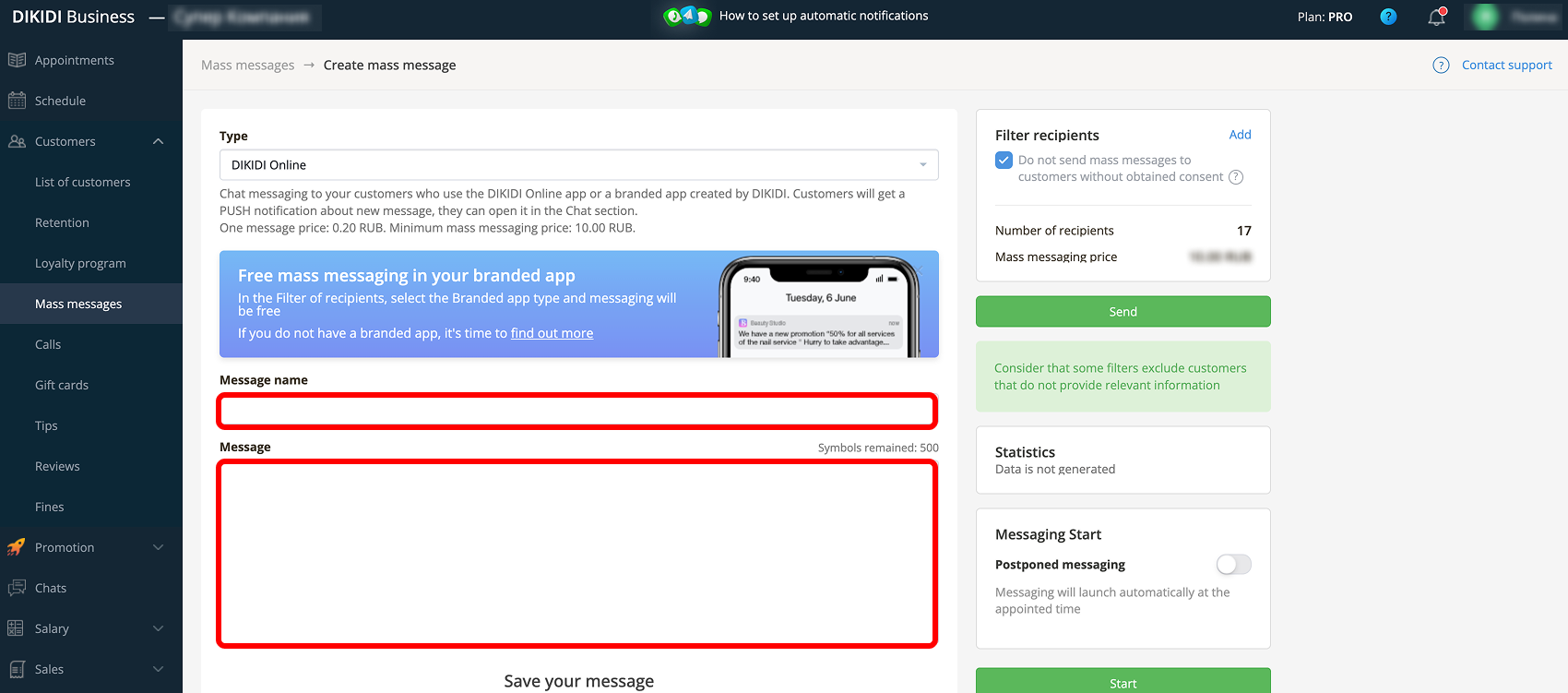
Click “Create Mass Message”. A settings window will open.
Message text
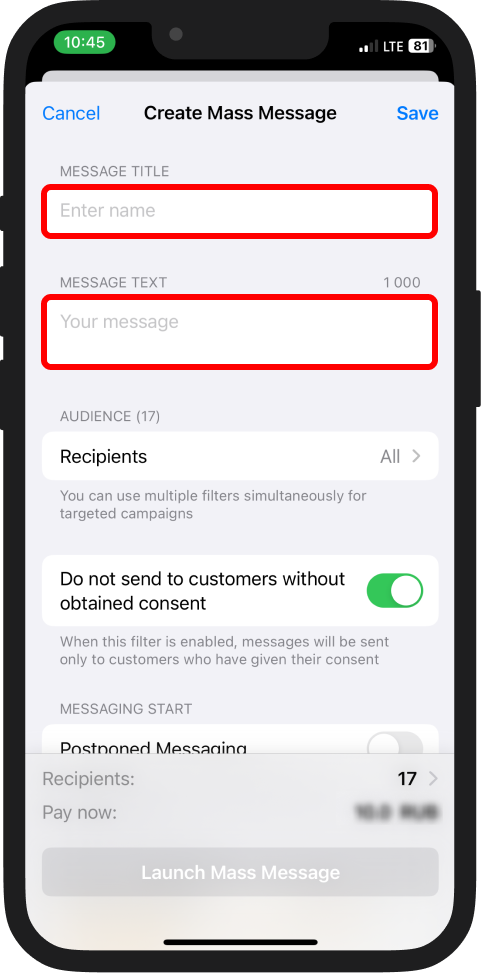
Fill in:
- Message title – visible only to you;
- Message text – customers will see this.
The maximum text length is 500 characters. It is recommended to write briefly, to the point, and without overloaded advertising phrasing.
Recipient audience
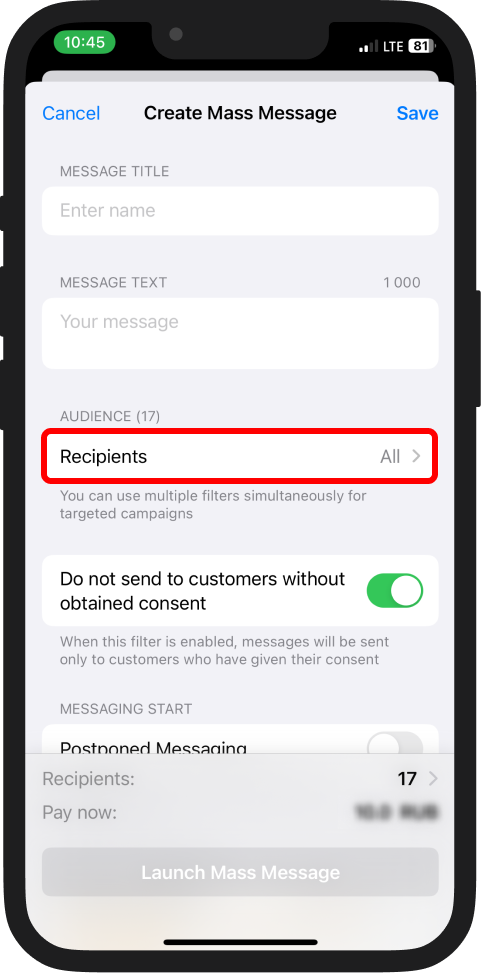
You can send a mass message to:
1️⃣ All customers;
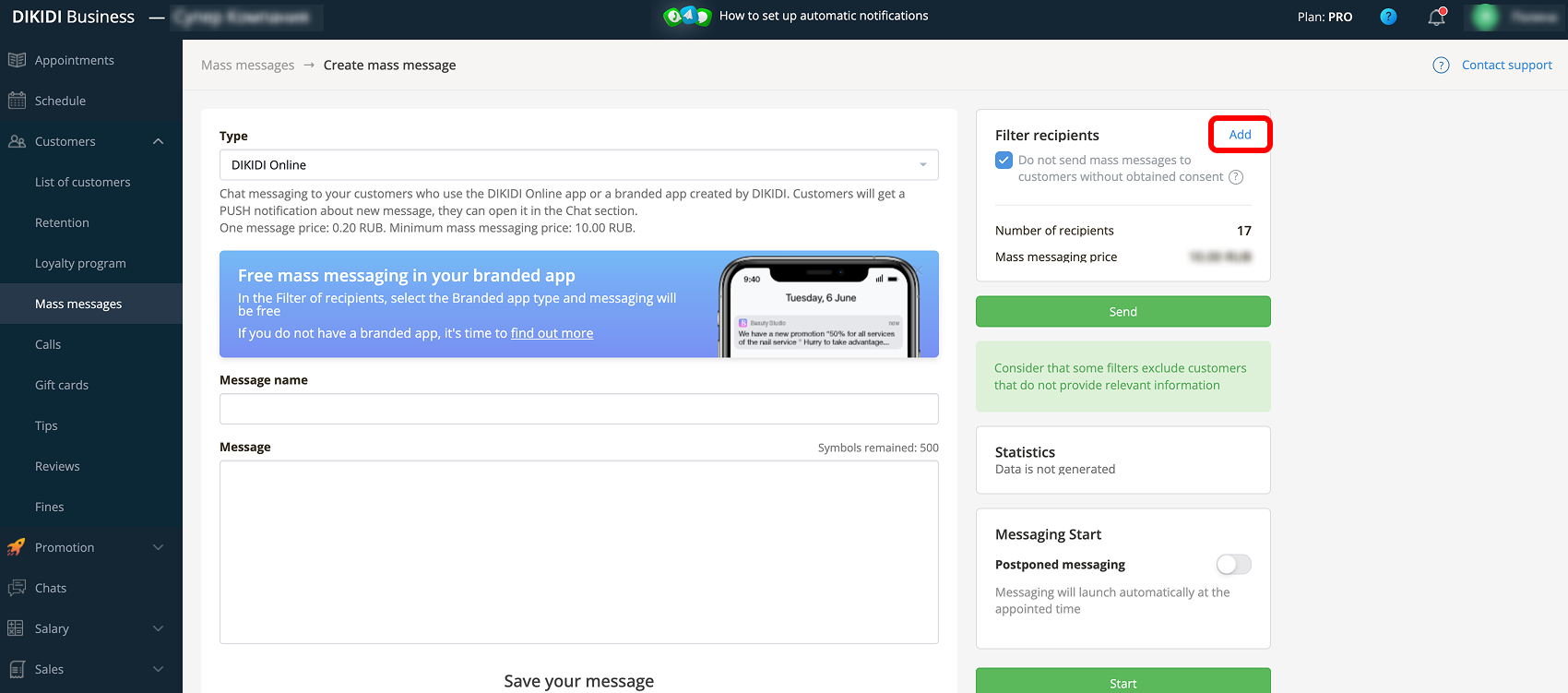
2️⃣ A selected group using filters.
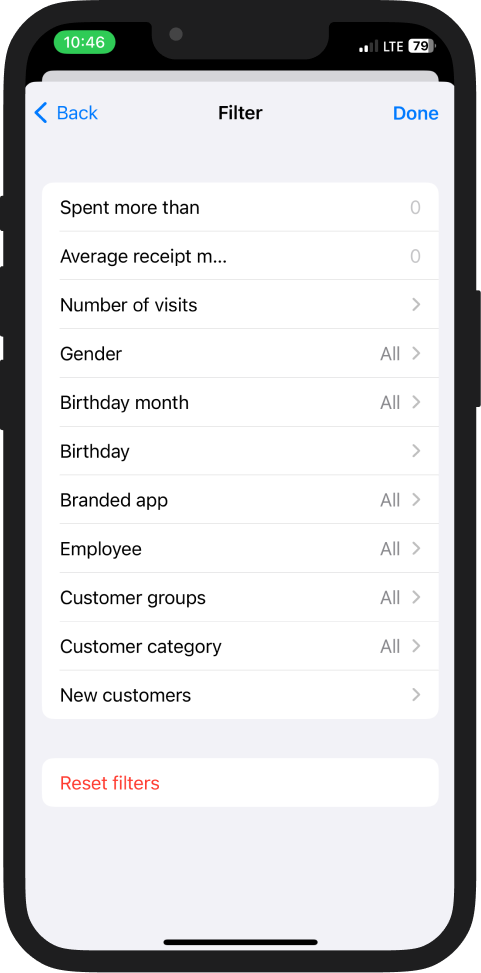
Available filters:
- Spent more than;
- Average receipt more than;
- Number of visits;
- Gender;
- Birthday;
- Birthday month;
- Branded app;
- Staff;
- Customer groups;
- Customer categories;
- New customers.
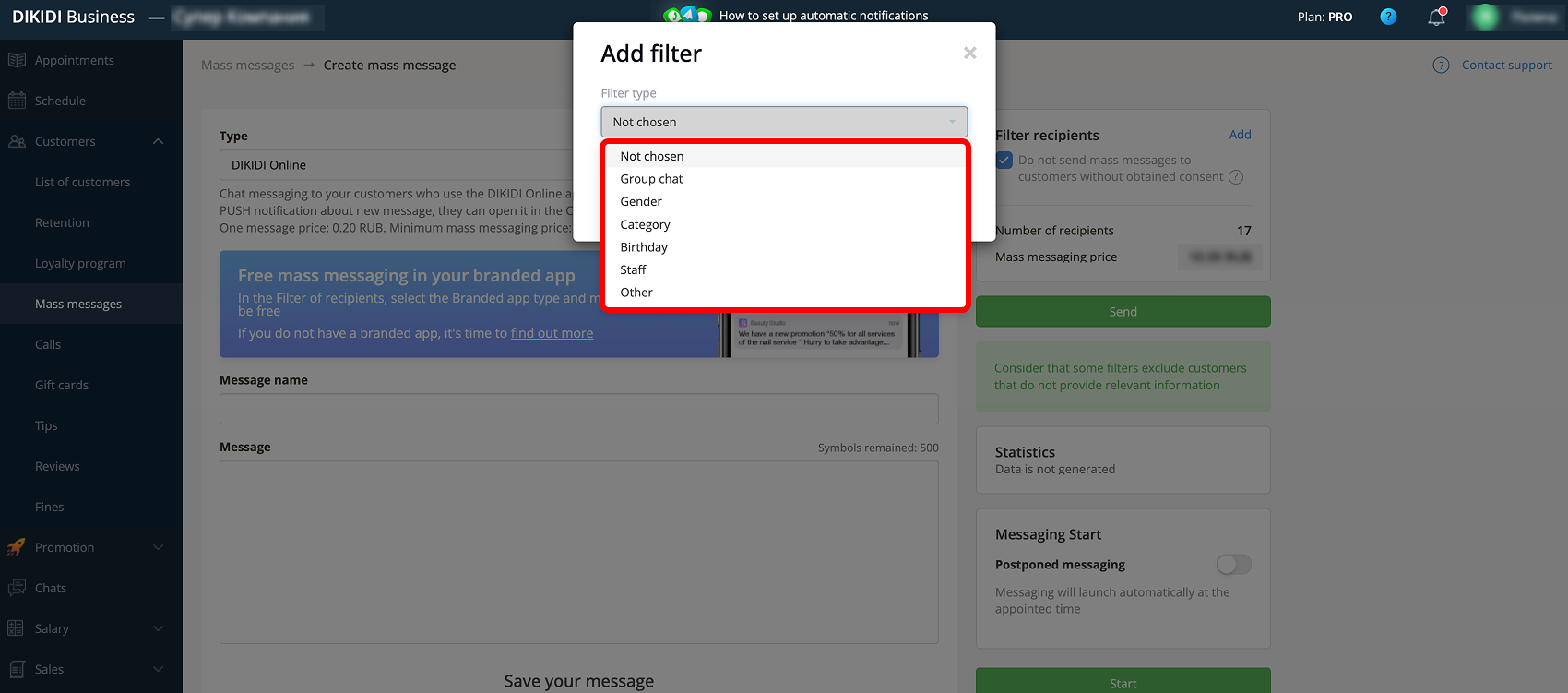
✅ Examples of using filters
To send Birthday greetings select the – “Birthday” or “Birthday month” filters. Offer for March 8th – “Gender” filter. Working with your most loyal customers – “Spent more than”, “Average receipt more than”, “Number of visits”.
Sending time
Using the “Postponed Messaging” feature, you can select the start date and time for your mass message.
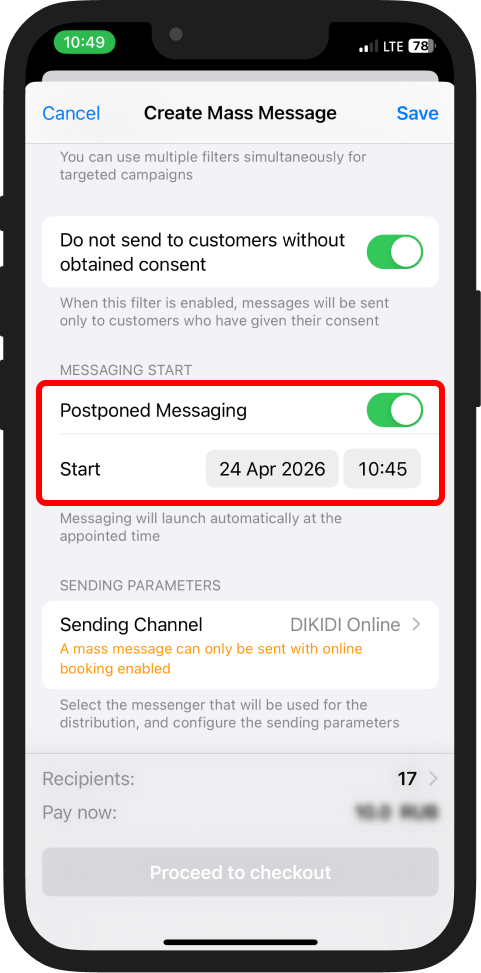
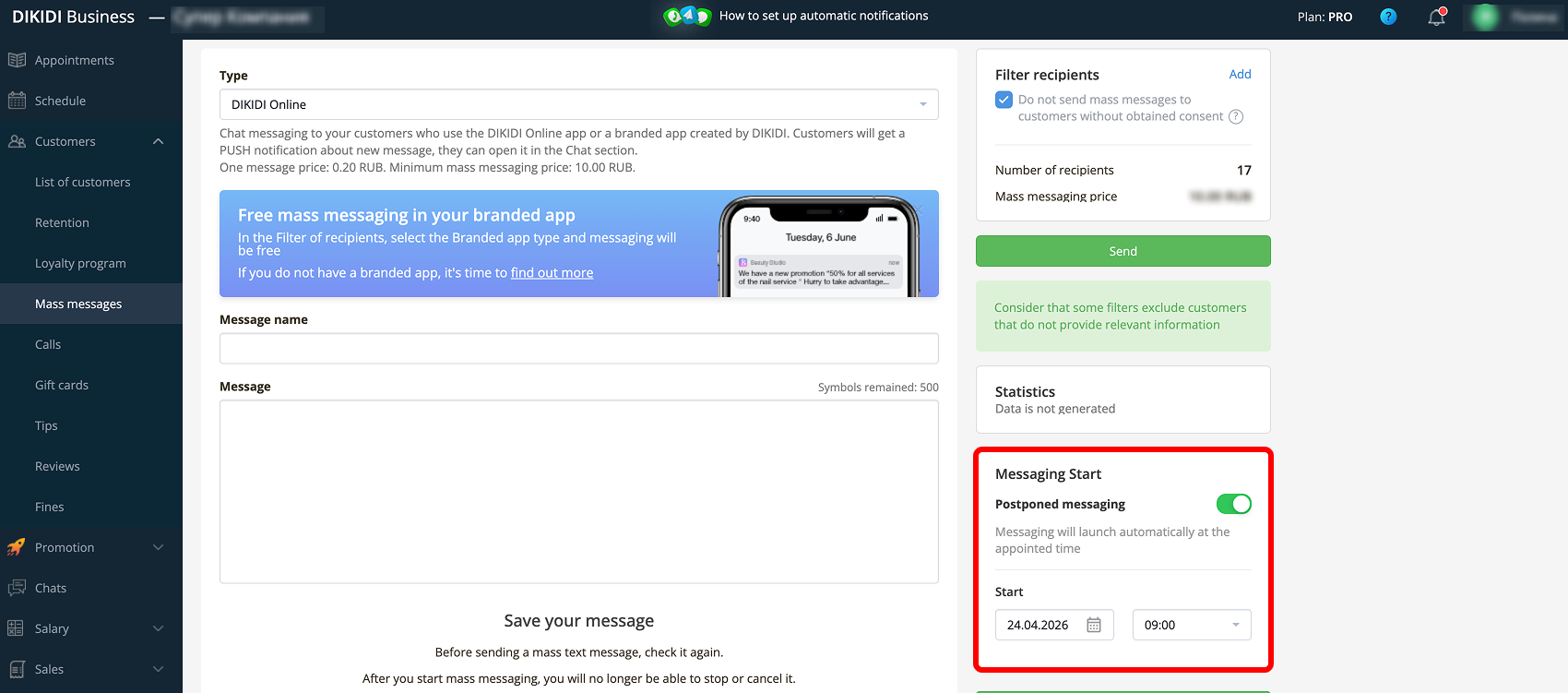
Sending options
Choose the sending channel for your mass message and the sender.
Sending channels
📌 DIKIDI Online chat and Branded app
The mass message is sent to the chat of the DIKIDI Online customer app or to the branded app.
Features:
🔹 No limits on the number of recipients;
🔹 Minimal cost;
🔹 Messages are sent only to customers who have installed the DIKIDI Online app or the branded app.
Sending cost:
- In the branded app – absolutely free;
- In DIKIDI Online – calculated automatically after selecting the audience.
📌 Telegram
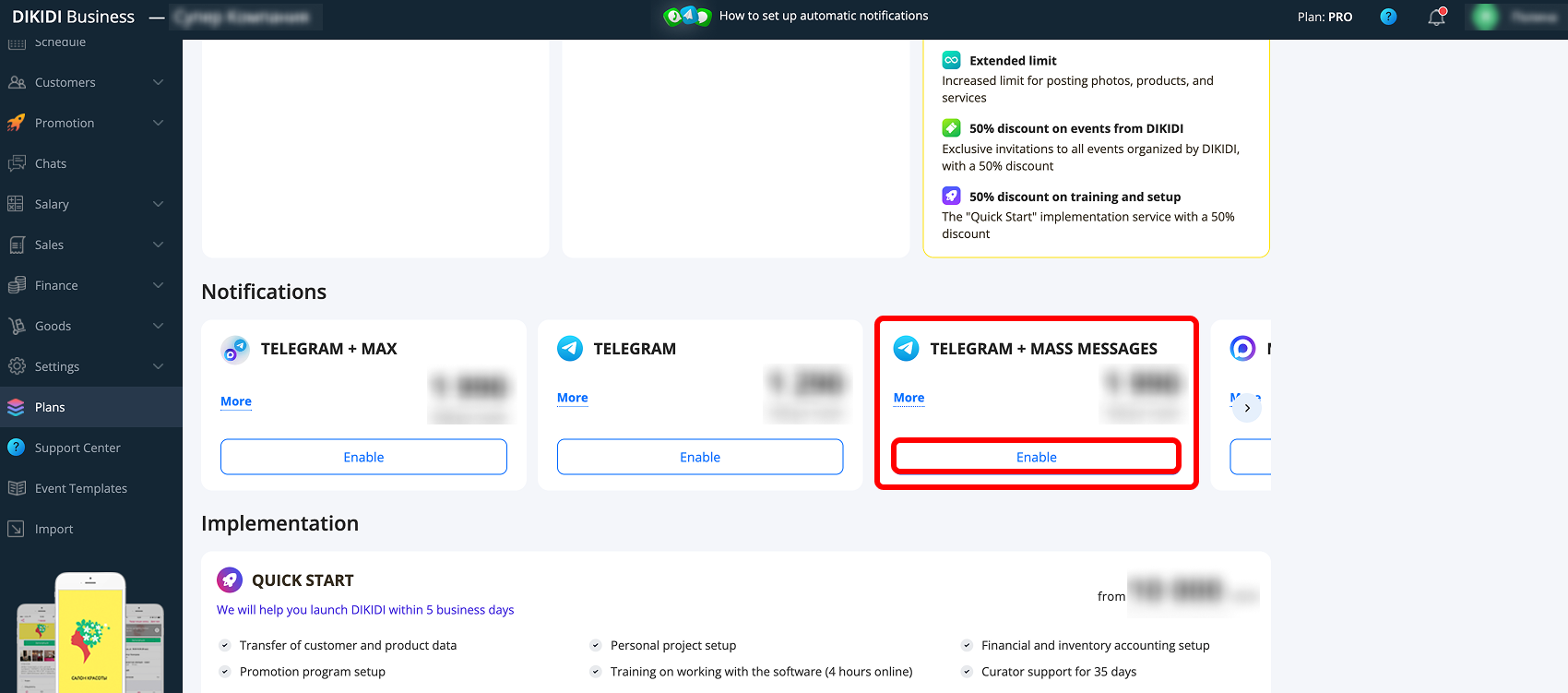
To send, you must enable the "Telegram + Mass Messages" channel.
Features:
🔹 Messages are sent directly to the messenger on your behalf;
🔹 Customers can reply to the messages;
🔹 It is recommended that your business number is saved in the customer's contacts;
🔹 It is recommended to use a number with a chat history;
🔹 A free trial period is available.
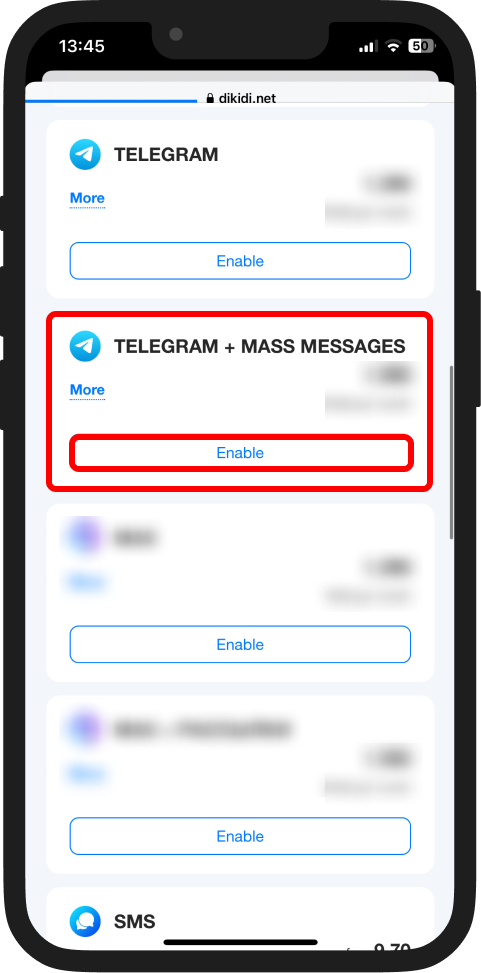
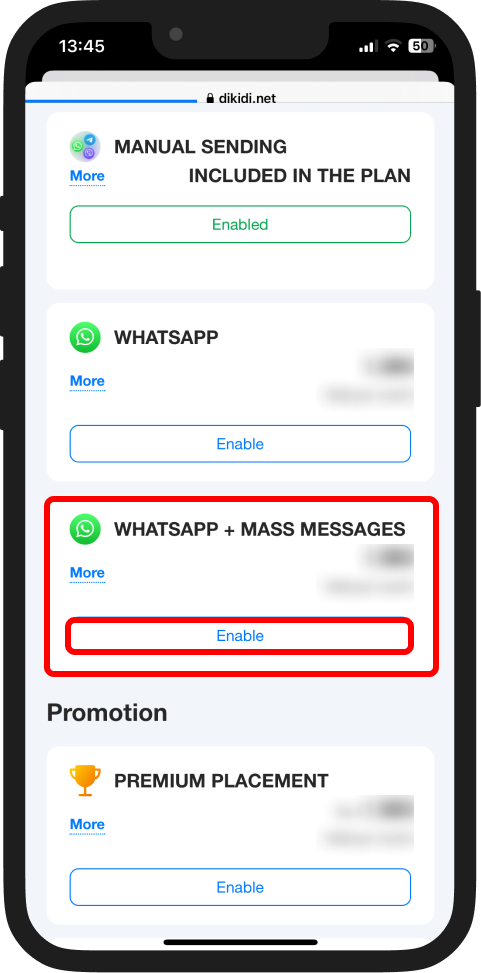
To send, you must enable the "WhatsApp + Mass Messages" channel.
Features:
🔹 Messages are sent directly to the messenger on your behalf;
🔹 Customers can reply to the messages;
🔹 Settings for sending speed and time limits are available;
🔹 It's recommended to use a number with existing chat history;
🔹 A free trial period is available.
📌 SMS
Suitable for customers without internet or messengers.
Features:
- No apps required
- Delivered to any phone
- Sent only from the DIKIDI Business web version;
- Only actually sent messages are charged.
Starting the campaign
The number of recipients is displayed at the bottom of the page.
You can:
– open the list of recipients;
– exclude individual customers;
– save the mass message;
– launch it immediately or later.
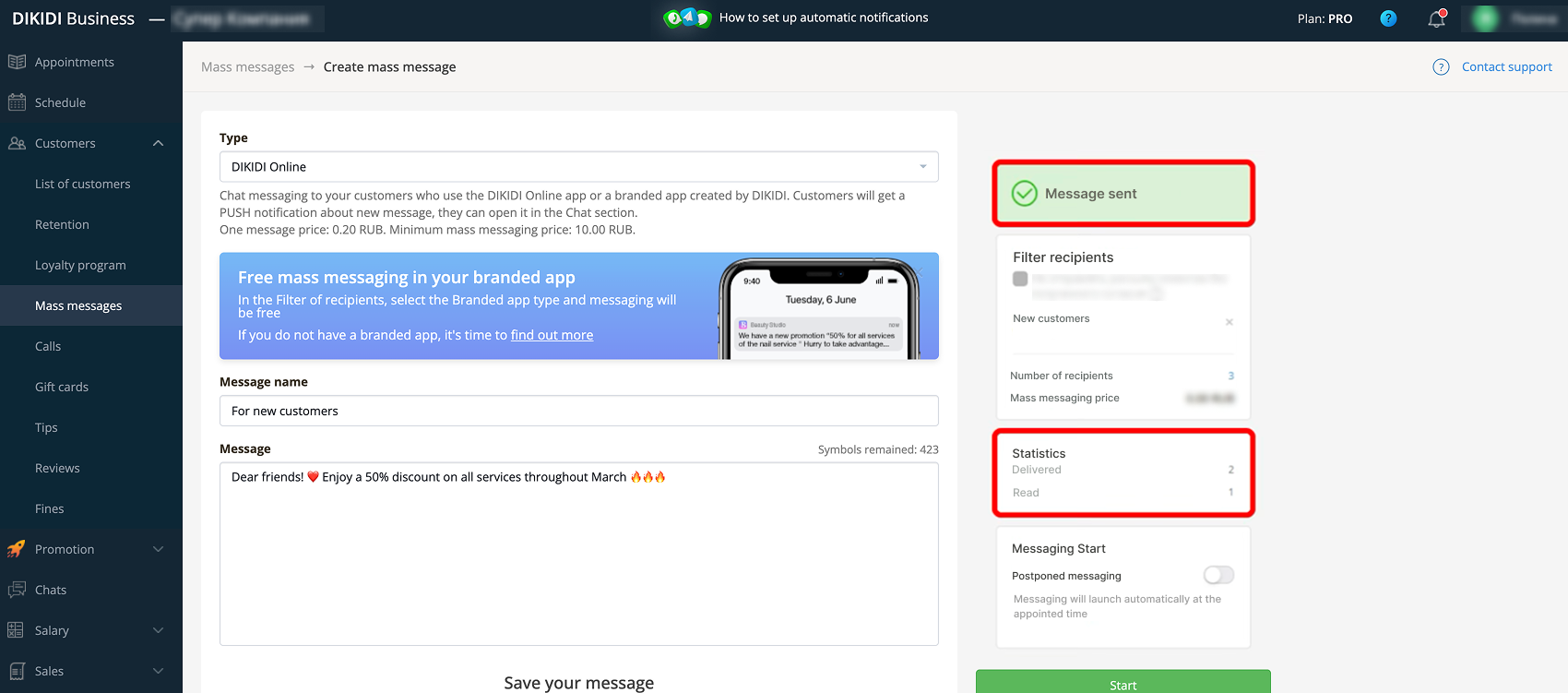
After sending, the message will appear in the "Mass Messages" section.
Mass message statistics
The list of mass messages displays:
– status (waiting to be sent / sent);
– percentage of sent messages.
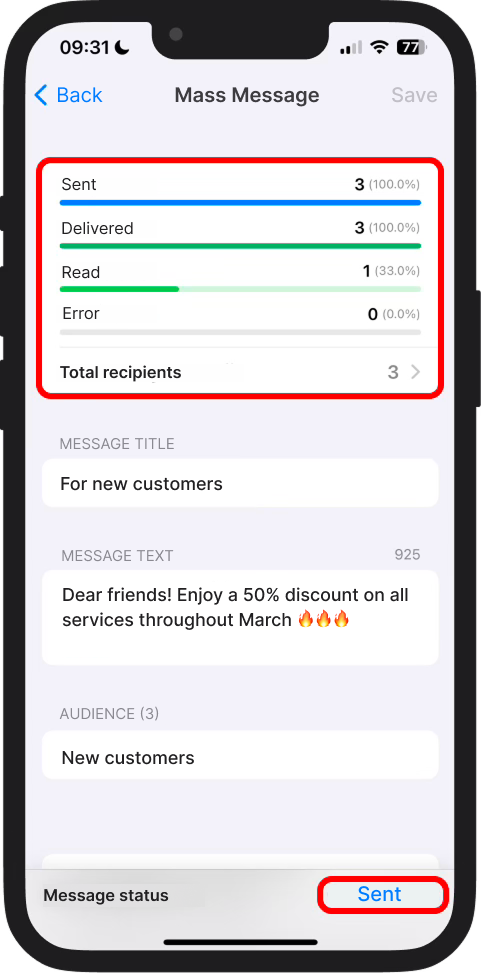
Inside the mass message, you can view:
– sent;
– delivered;
– read;
– errors.
You can also open the list of recipients and check the status of each message.
Important notes
- Do not send excessively large volumes of messages from a new number;
- Avoid aggressive advertising phrasing;
- Segment your audience to increase effectiveness;
- Respect your customers' interests and send only useful messages.
📚 Read also: