Як експортувати інформацію з DIKIDI
Last modified:
У DIKIDI ви можете вивантажувати дані про клієнтів і товари, щоб використовувати їх для аналітики, звітів або роботи в сторонніх сервісах.
Як вивантажити клієнтську базу
Щоб експортувати список клієнтів:
1️⃣ Перейдіть у розділ «Клієнти» → «Список клієнтів»;
2️⃣ Натисніть кнопку з трьома крапками у правому верхньому куті;
3️⃣ Оберіть формат файлу — CSV або Excel.

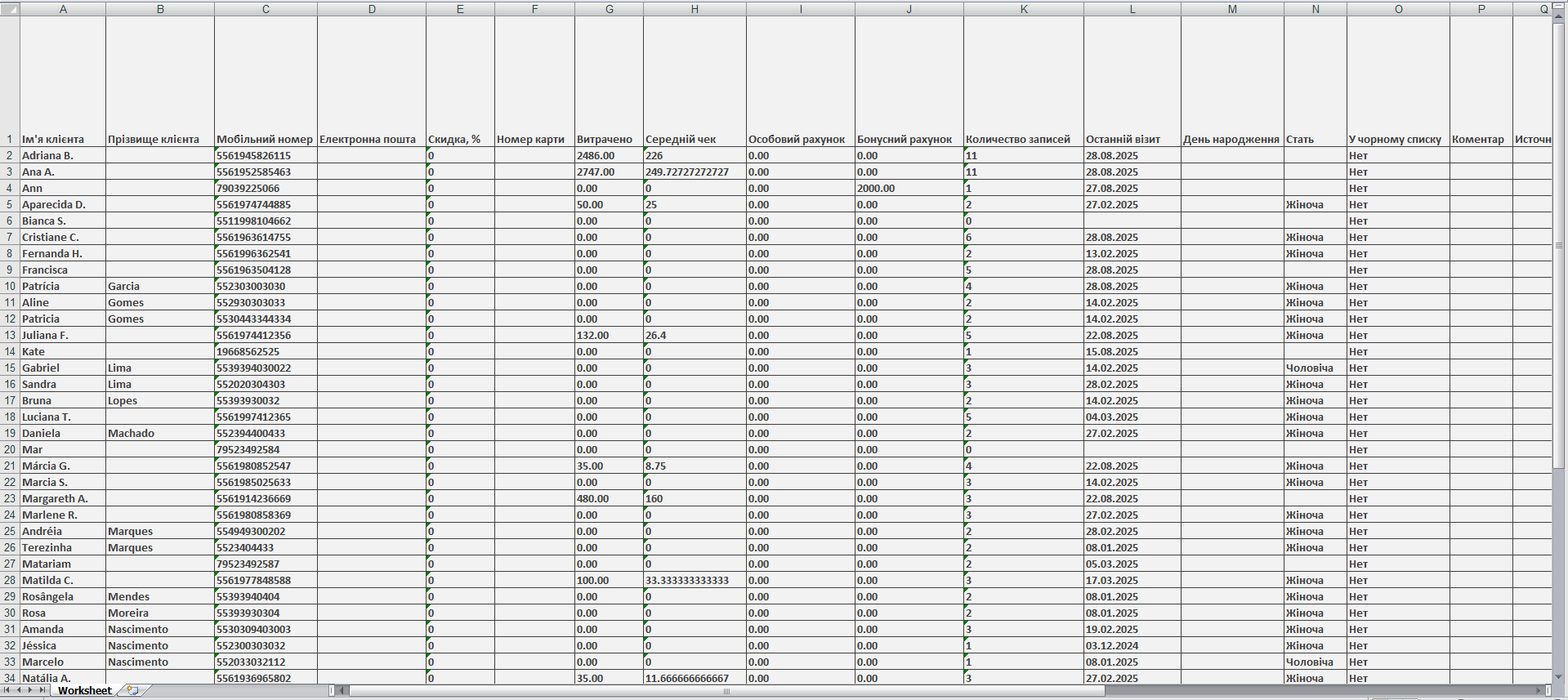
Після цього буде сформовано файл з усією доступною інформацією про клієнтів, доданих до вашої бази.

⚠️ Важливо! Вивантаження клієнтської бази доступне лише користувачам з доступом «Творець».
Як вивантажити товари
Щоб експортувати список товарів та залишки:
1️⃣ Перейдіть у розділ «Товари» → «Список товарів»;
2️⃣ Натисніть кнопку «Експорт» у правому верхньому куті;

3️⃣ У вікні, що відкриється, виберіть дату, на яку потрібно отримати залишки товарів;
4️⃣ За потреби позначте пункт «Розбити за складами»;
5️⃣ Натисніть «Експортувати».

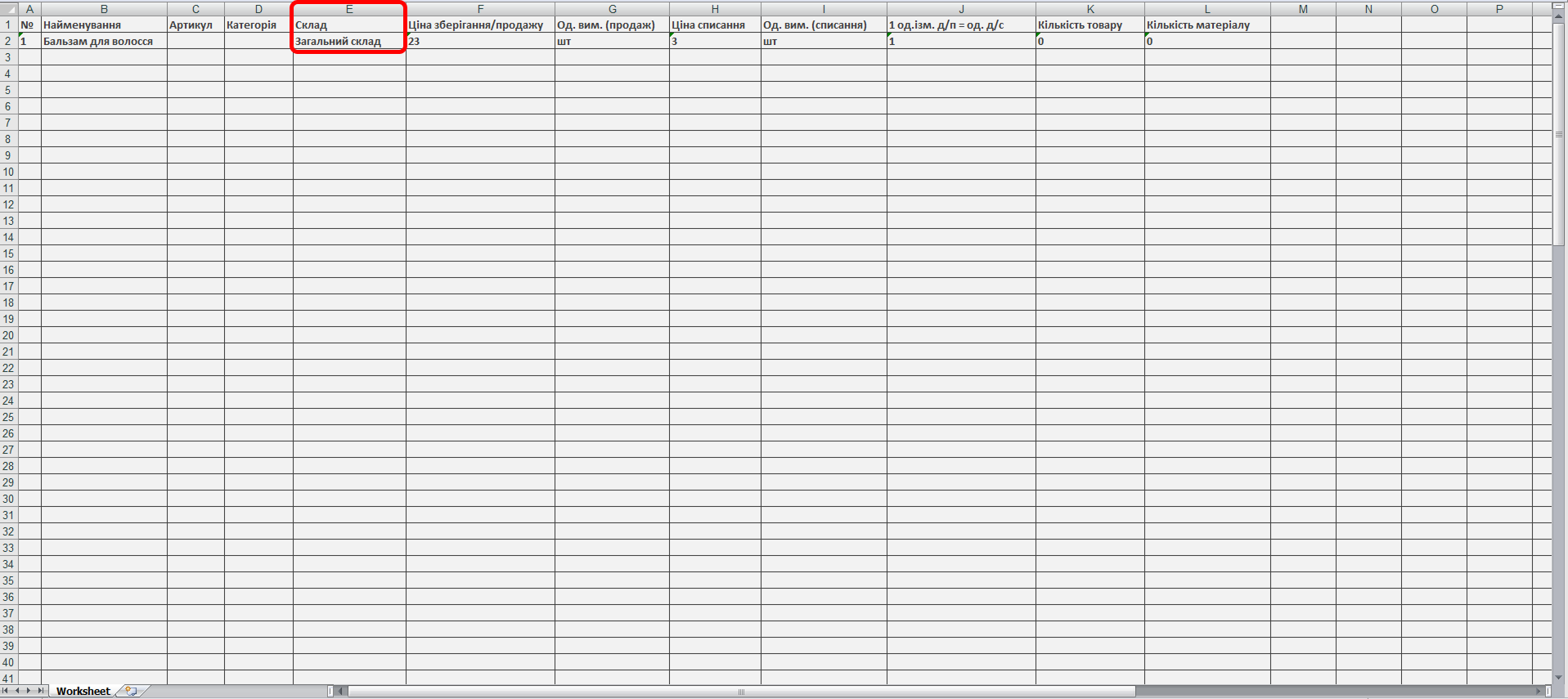
У результаті ви отримаєте таблицю у форматі Excel. Якщо обрано поділ за складами, у файлі з’явиться додатковий стовпець «Склад».
Як вивантажити записи
Щоб експортувати записи:
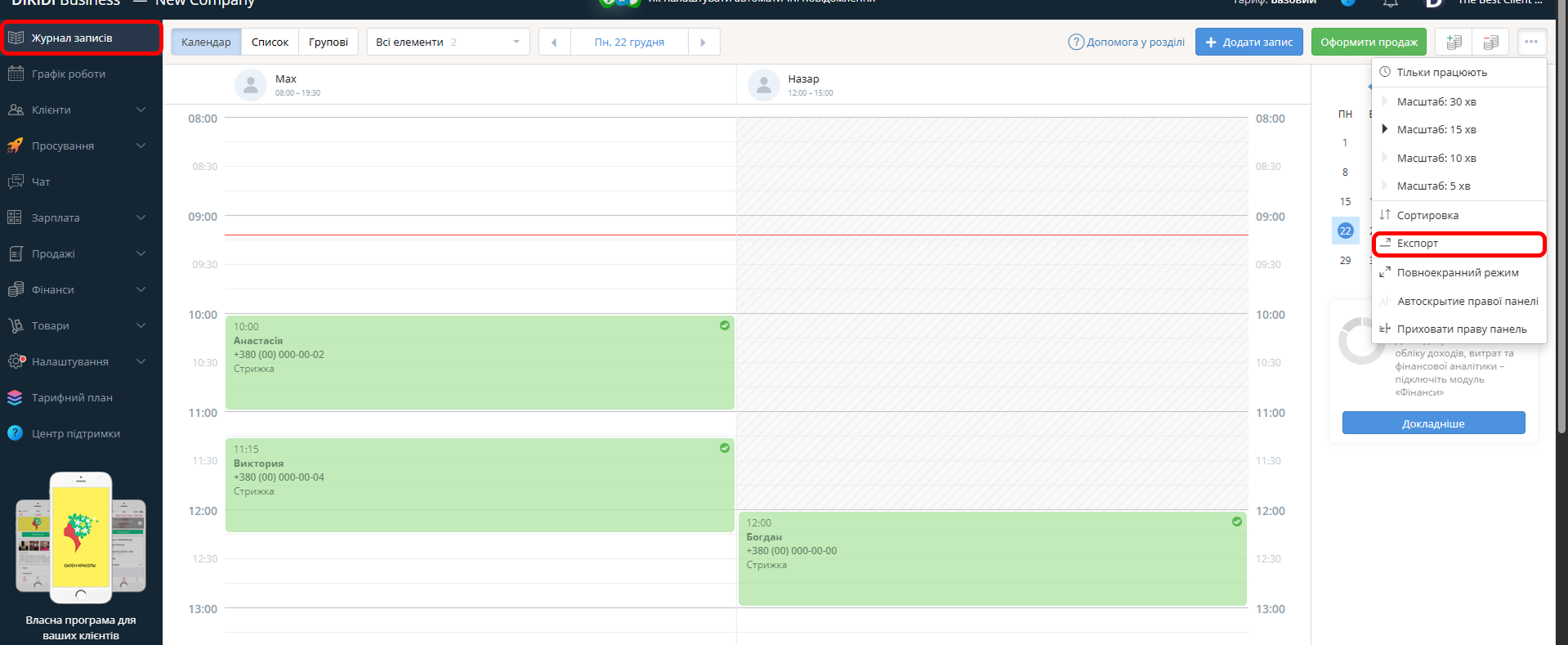
1️⃣ Перейдіть до розділу «Журнал записів»;
2️⃣ Натисніть кнопку «Експорт» у правому верхньому куті;
3️⃣ У вікні, що відкриється:
-
за потреби позначте параметри «Тільки працюють» та «Приховати дні без записів»;
-
виберіть діапазон дат, за який потрібно отримати дані.
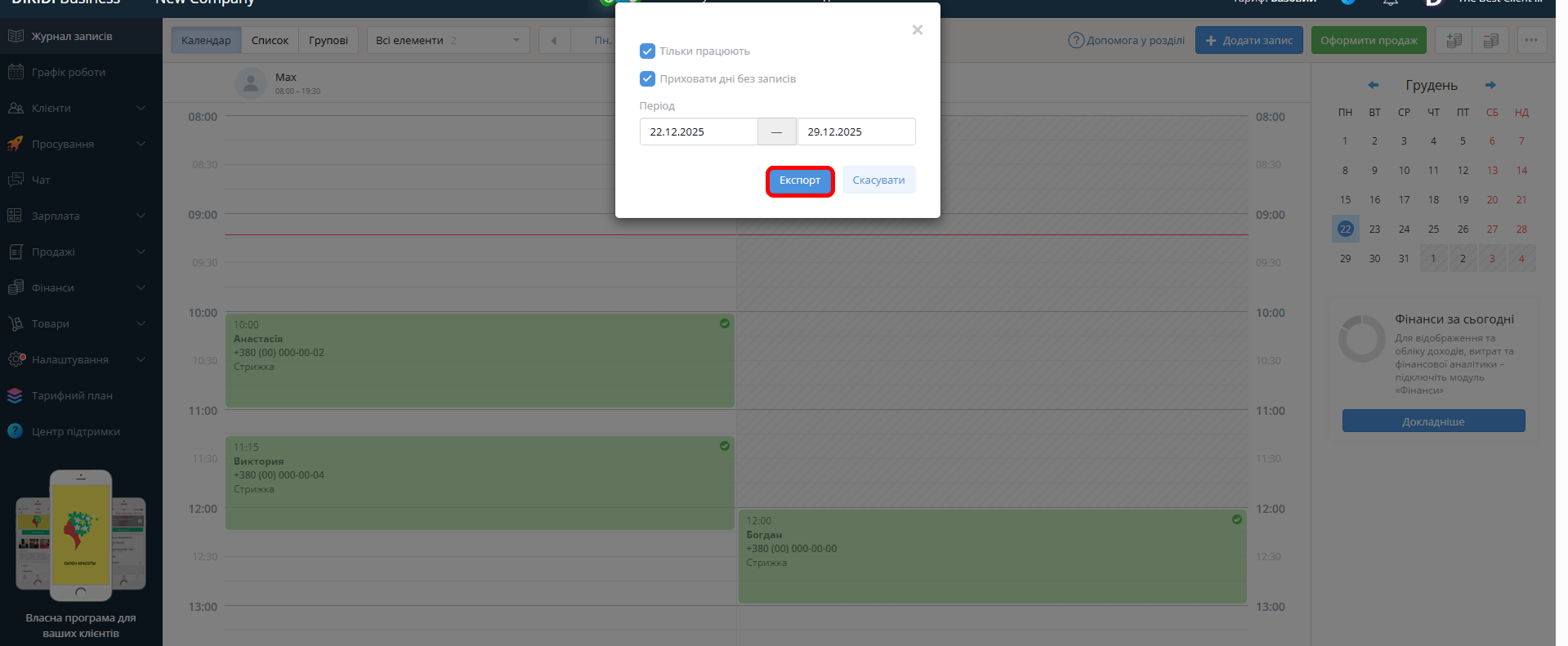
⚠️ Важливо! Доступний діапазон експорту — не більше 31 дня.
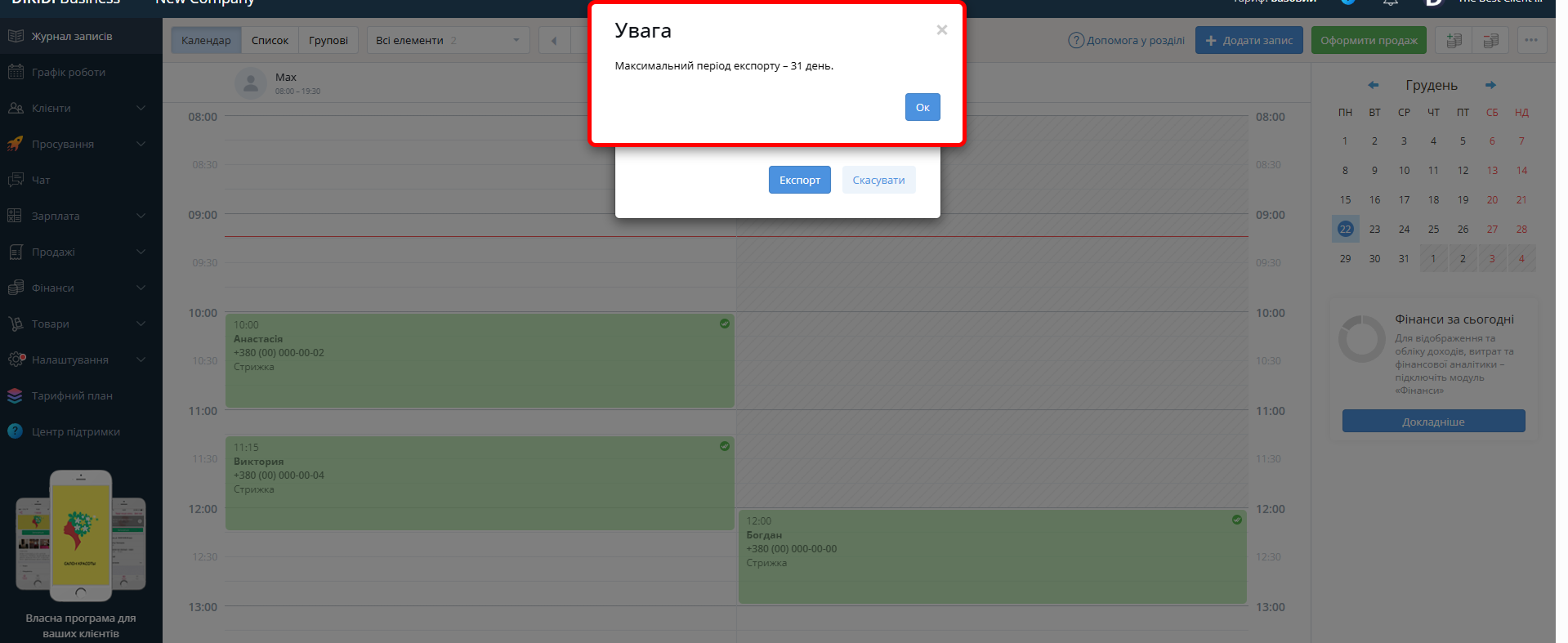
Після цього буде сформовано файл з усіма записами з журналу за обраний період.
