Mass messages to your customers in Telegram
Última modificación:
Telegram has become one of the most popular messaging apps in the world, and its widespread use makes it an excellent platform for businesses that want to communicate with customers.
In DIKIDI, you can set up Telegram mass messages to effectively deliver important information to your audience.
In this article, we’ll explain how Telegram mass messages work, what benefits they offer for your business, and how to set them up correctly.
How to set up mass messages via Telegram
Option 1
1️⃣ Log in to the web version of the service at dikidi.net/business or open the DIKIDI Business mobile app and select the project you need.
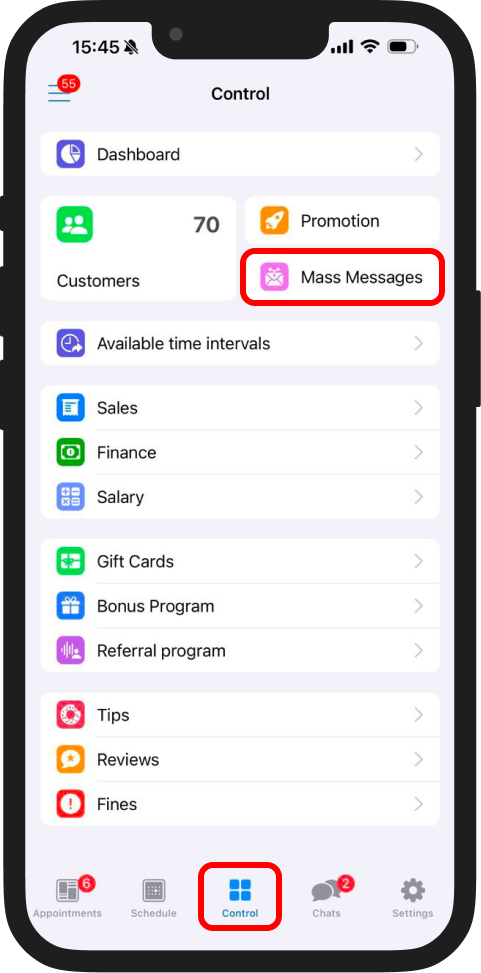
2️⃣ Go to “Control” → “Mass messages” and click “Mass Message”.
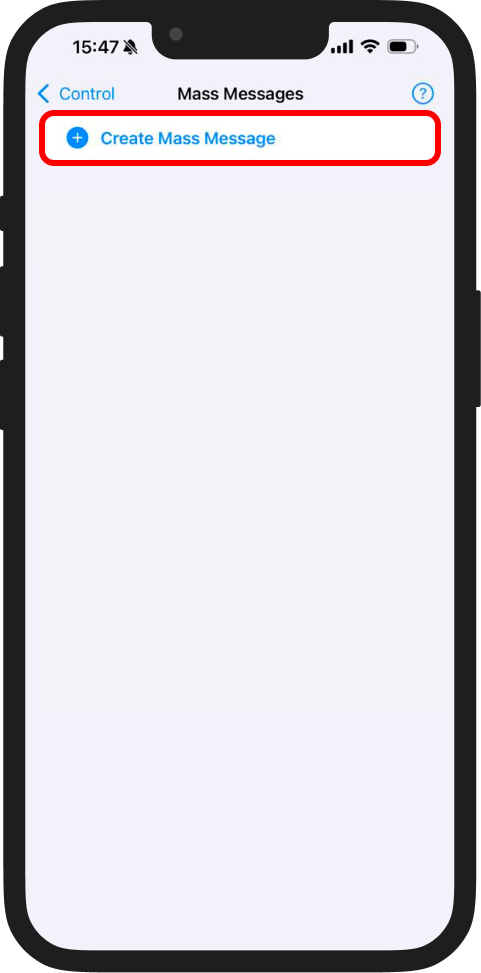
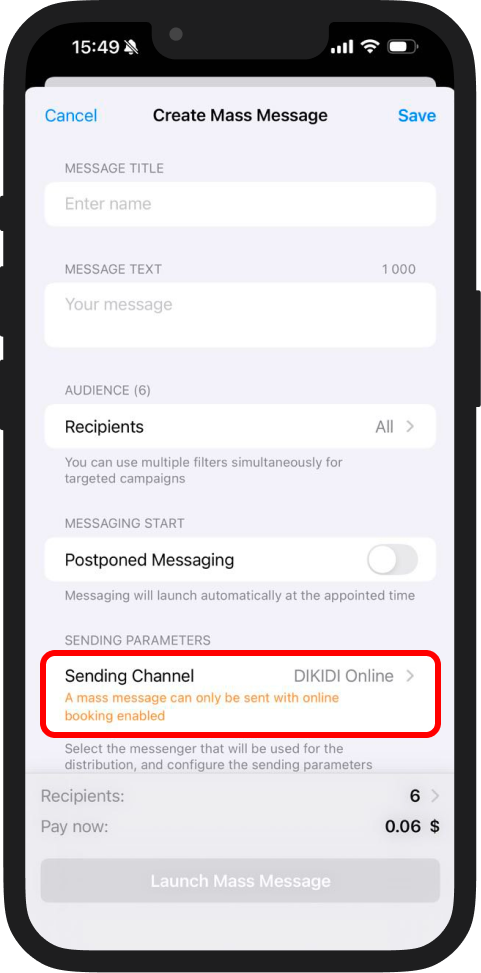
3️⃣ In this window, select “Sending Channel” and open it. Here you will see all available channels for mass messages.
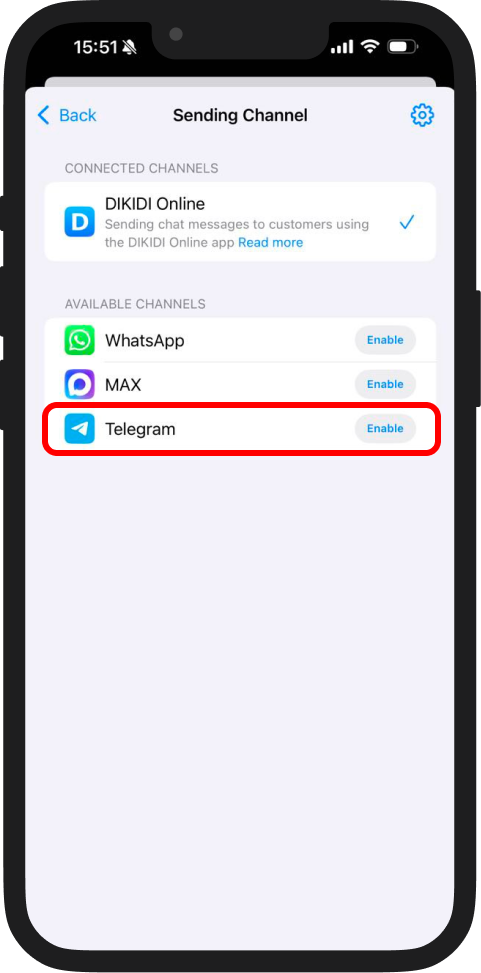
4️⃣ Find Telegram and click “Enable”.
5️⃣ Confirm that you agree to the terms and the use of the Telegram channel. Click “Enable Telegram”.
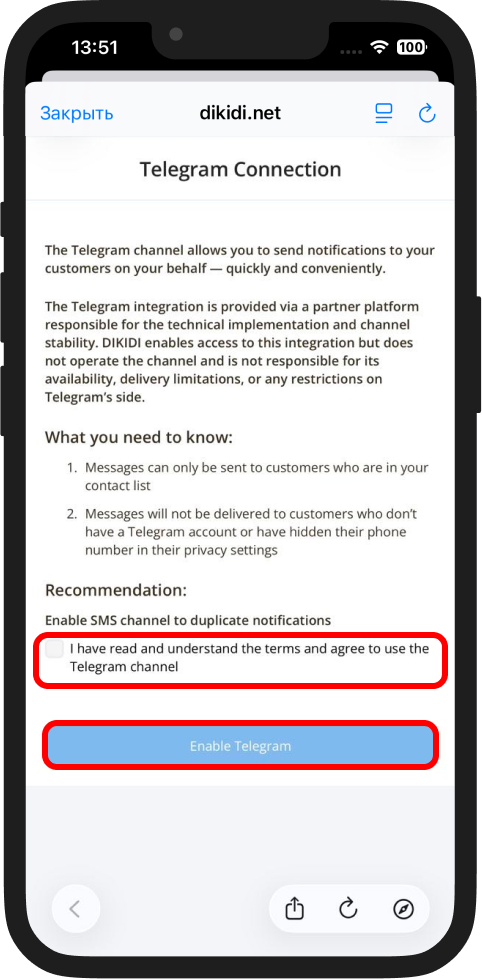
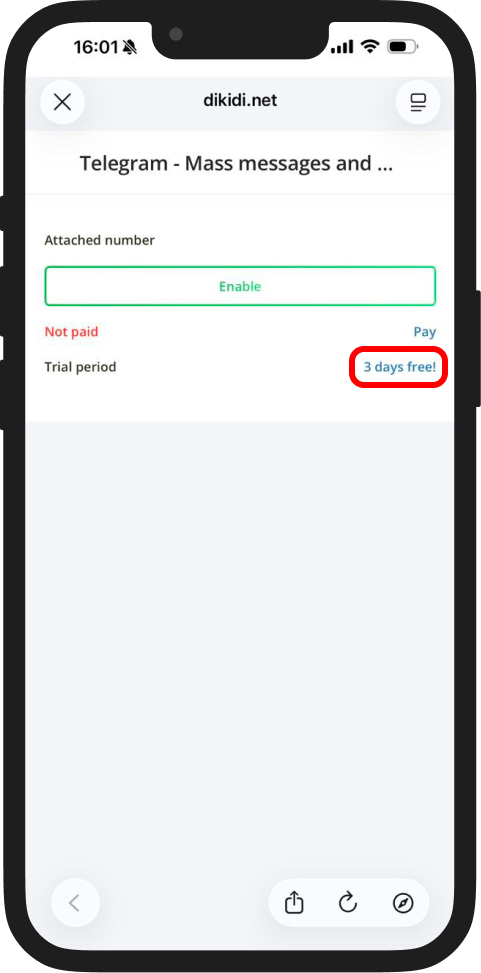
6️⃣ “Telegram + MASS MESSAGES” is provided for a 3-day free trial.
After the trial period ends, the channel will be disabled until payment is made and it is reactivated.
To activate the trial period, click on the promotional offer and confirm the action by pressing the “Yes” button.
7️⃣ Enter the phone number attached to your Telegram account that will be used to send messages and click “Enable”.
8️⃣ The system will generate a personal QR code to link Telegram. Scan it using another phone:
- Open Telegram;
- Go to "Settings" → "Devices";
- Tap Link Desktop Device and scan the code from DIKIDI Business.
9️⃣ After scanning, click “I’ve scanned the code!”.
Option 2
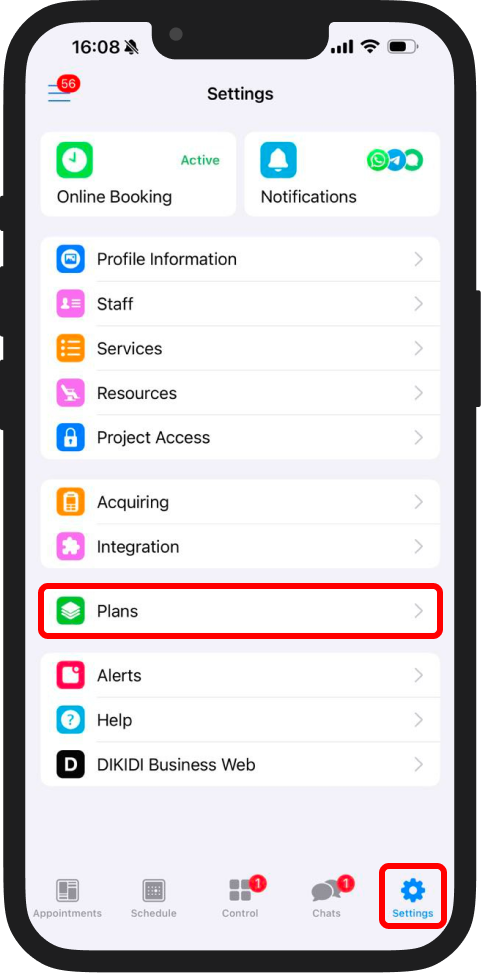
1️⃣ Go to “Settings” → “Plans”.
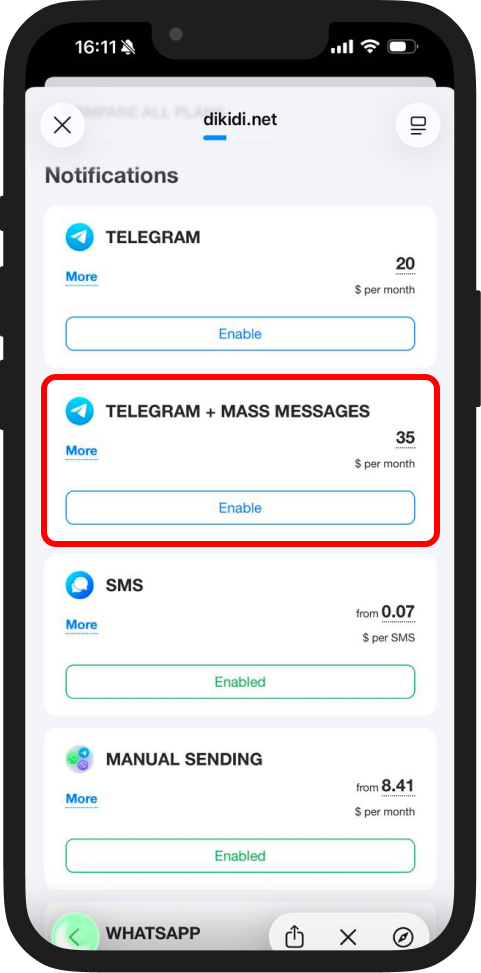
2️⃣ In the “Notifications” section, find “Telegram + MASS MESSAGES” and click “Enable”.
3️⃣ Follow the same steps as in Option 1 for connecting Telegram, starting from Step 4.
Why use Telegram mass messages?
Telegram broadcasts are not only an effective way to stay in touch with your customers, but also an important part of your business automation strategy. They help you:
- Save money;
- Increase customer loyalty;
- Respond quickly to your audience’s needs.
Important notes when sending Telegram mass messages
Keep in mind that when sending a mass messages via Telegram, it’s important to consider the following:
- Messages can only be sent to customers who are in your contact list;
- Messages will not be delivered to customers who don’t have a Telegram account or have hidden their phone number in their privacy settings;
- If a customer has enabled the privacy setting “Only my contacts can message me”, the message may not be delivered.
To increase the delivery rate, recommend that customers save your business phone number in their contacts. In this case, the chance of successful delivery will be the highest.
Also, once you connect the Telegram messaging channel, you can use Telegram notifications as well. Learn more about them in this article 📖